|
Houdini Engine for Unreal
|
|
Houdini Engine for Unreal
|
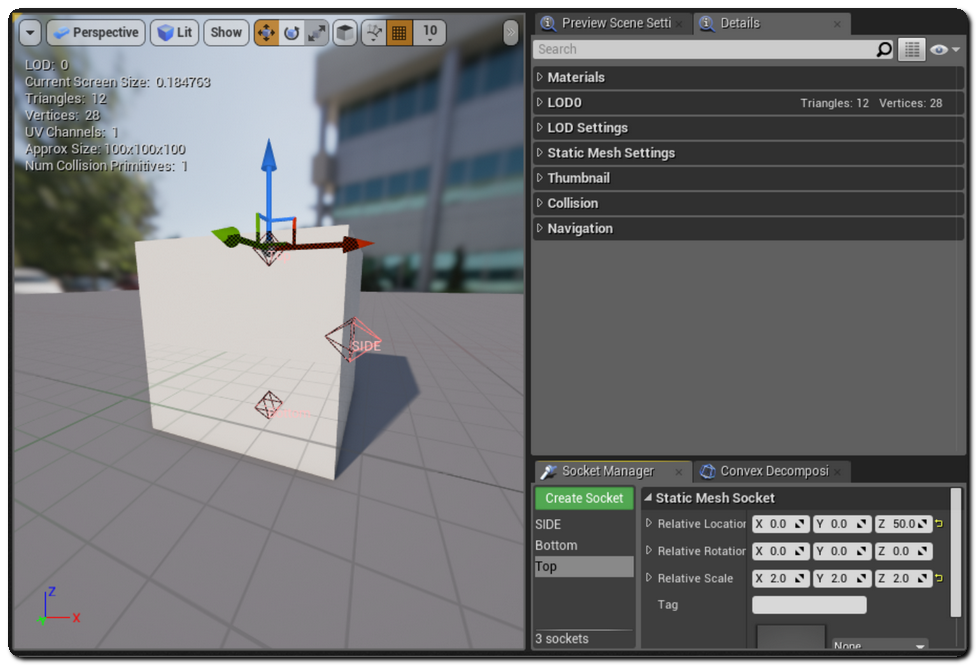
Mesh sockets are extremely usefull if you want to attach something to your meshes in Unreal without having to parent and set the transform of the objects manually. Houdini Engine for Unreal supports the creation of mesh socket.
In order to do create mesh sockets, you just need to assign points to a point group starting with the socket prefix. The position (P) rotation (rot) and scale (scale) attributes of these points will be used to define the socket's transform. If the rotation attribute is not found, the socket's rotation can be deduced from the normal (N) attribute of the point if it's present. Please note that the rot attribute should be set as a quaternion (float 4) and not an euler angle.
You can define a socket's name by adding a string attribute to the points named unreal_mesh_socket_name.

The generated sockets can be displayed and edited in the static mesh editor, and you can attach actors to them like you normally would, either by drag and dropping an Actor on the asset in the world outliner or by using “Attach to” in the context menu.
You can pre-assign Actors to the generated socket.
This can be done by adding a string attribute named unreal_mesh_socket_actor containing the name of the actor that you want to assign to the socket. Multiple actors can be pre-assigned to a socket. This can be acheived simply by separating their names with , or ; (commas or semicolons).
The corresponding actors will automatically be attached to the sockets in Unreal upon cook.
 1.8.6
1.8.6 
