More questions on UVing

   11275   12   2
User Avatar
Member
295 posts
Joined: Oct. 2008
Offline
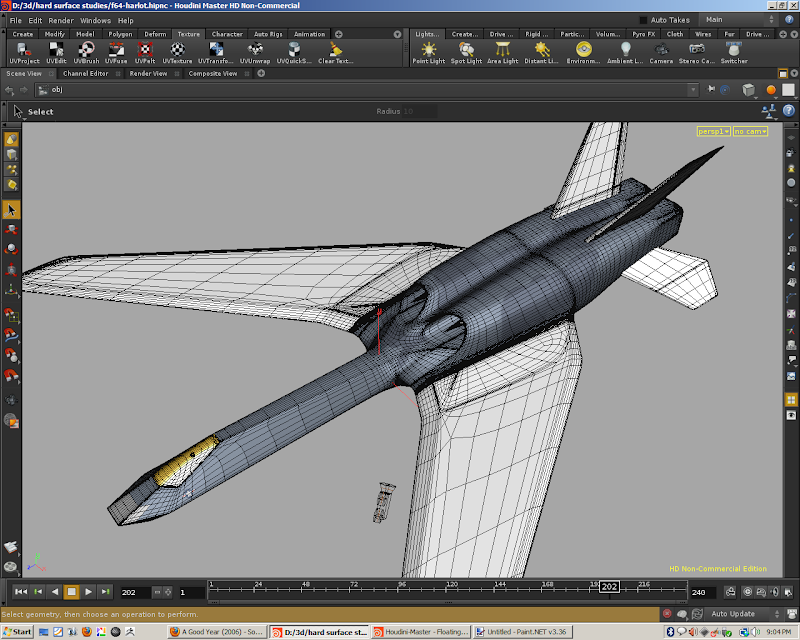
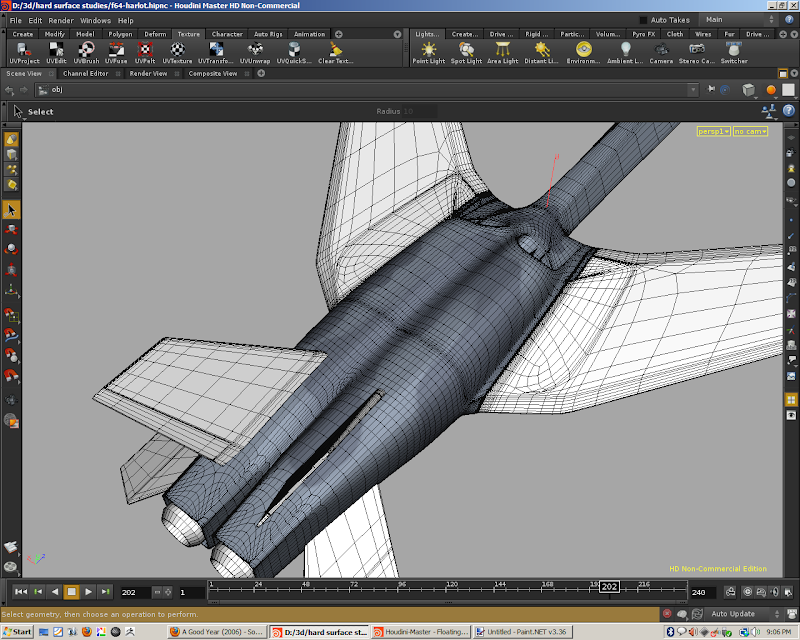
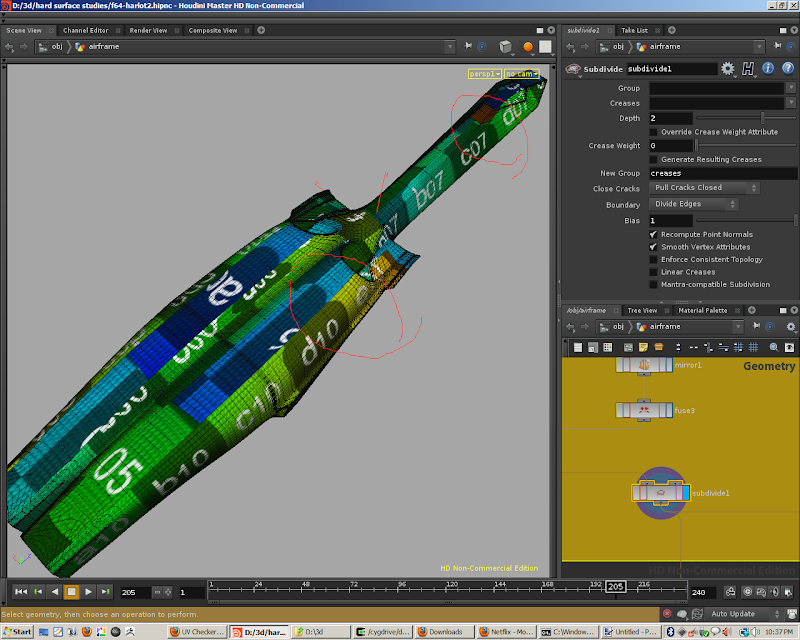
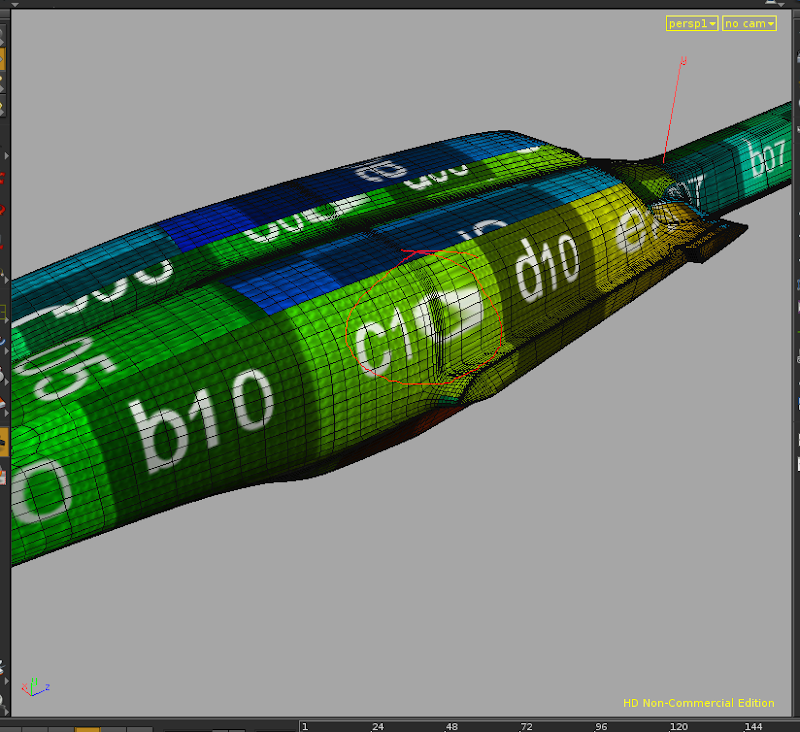
Ran into a problem while trying to generate a good UV map for my model. The model is a jet aircraft shape, some screenshots/wireframes:


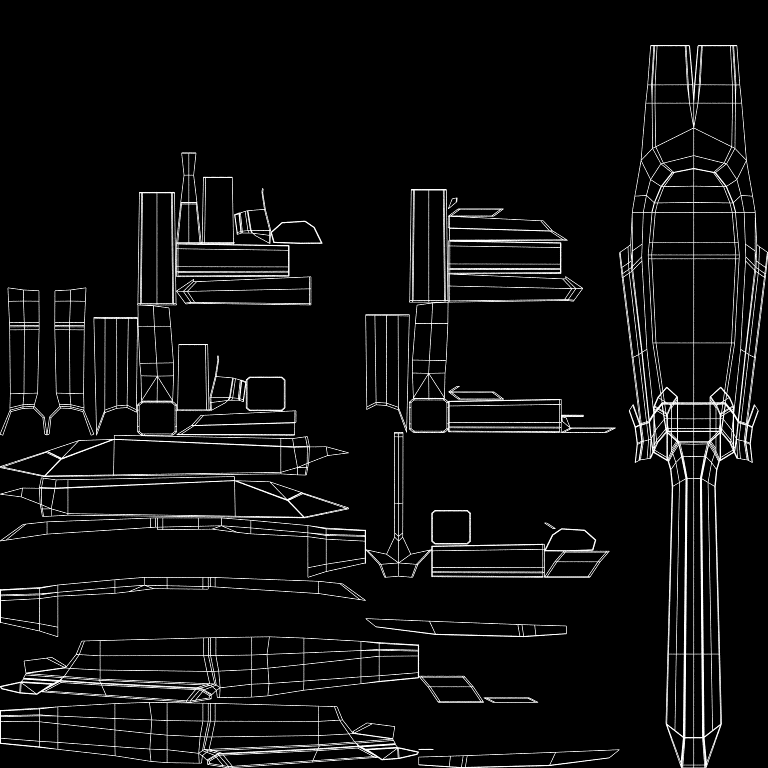
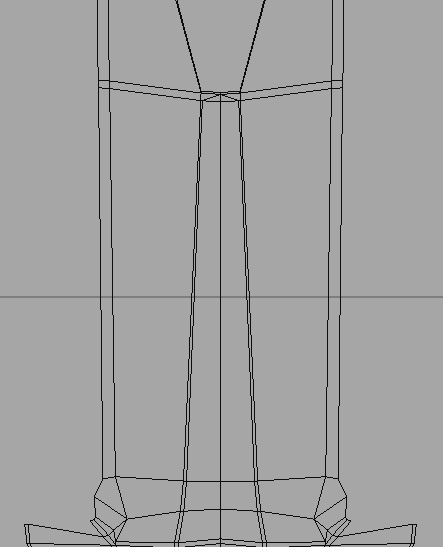
A suggestion was made to generate a uv map prior to subdividing the mesh. Which I did using the UVUnwrap node, which gave me this:


This worked out pretty well, and I figured if I moved some of the elements around I'd have something pretty usable.


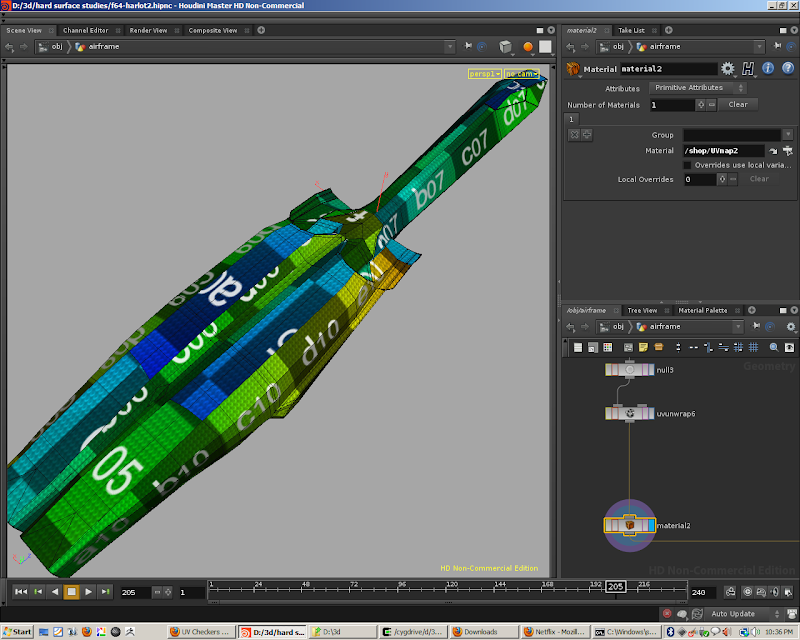
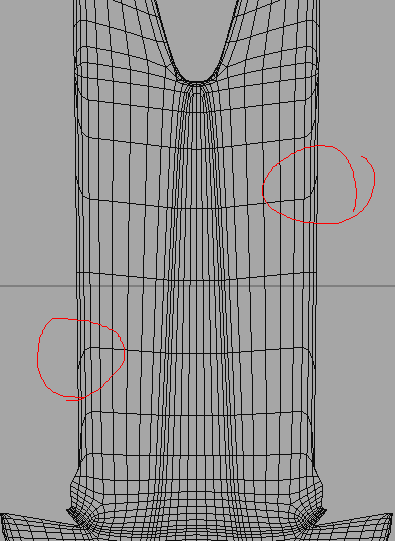
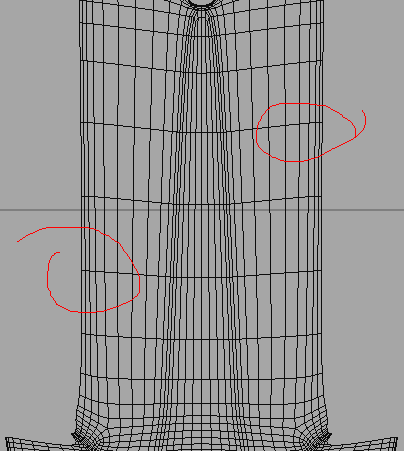
However when I subdivide the mesh, the uvmap is subd as well, which then generates a lot more distortion:


Is there some way to prevent this? Is there a better workflow that I should be using? I tried using uvpelt with the hi-res mesh as well, but that also gives some distortion about the top intakes, which I'd like to avoid.
Houdini Models [learning3dfromscratch.blogspot.com]
User Avatar
Member
295 posts
Joined: Oct. 2008
Offline
Unfortunately that just shifts the problem elsewhere. Toggling “Smooth Vertex Attributes” on the subdivide does change things. However the distortion is simply shifted elsewhere, arguably making things look worse.

I now get this:


So if I work with the original UVs at lo-res, then, it appears, at some point they will get ruined by the subdivision operator? Does that mean that, in Houdini at least, you can't work with lo-res uvs, you have to work at the final subd resolution? Am I misunderstanding something about the whole workflow here? Or is the problem with my geometry in the first place?
Houdini Models [learning3dfromscratch.blogspot.com]
User Avatar
Member
295 posts
Joined: Oct. 2008
Offline
Anyone else have any suggestions here? Or is it simply the case that no one really uses Houdini for hard surface UV Mapping?

I've been playing with the UVPelt sop and can see how this would be really useful for an organic shape, however I'm stuck as to how you would best go about generating UVs for a hard surface model like this?

I've seen the UV Map tutorial on the sidefx site and while useful for introducing the UVPelt, it only adresses uv mapping half the model. Doing this, as far as I can tell, means that the texture image is going to be mirrored, which is certainly not what I want in this case, so it's not a useful approach here.

UVUnwrap has some nice potential, but then you have to manually move around pieces of the map using UVEdit which means all your symmetrical pieces have to be aligned manually.

Which seems to leave me with the conclusion that there is no way in Houdini to do effective UV Mapping, at least for hard surface models where you'd want a good UV map with symmetry. I've had someone else generously provide a possible UV map (done with some other piece of software), and for the first time I can't figure out how to duplicate this with Houdini. I presume this is because I don't know what I'm doing, but I don't know what else to try.
Houdini Models [learning3dfromscratch.blogspot.com]
User Avatar
Member
8077 posts
Joined: July 2005
Online
Well, if you end up just doing a UVunwrap, then why not just do that AFTER subdivision? The drawback of this approach though of course is that there are most vertices to potentially fix afterwards.

As for the Subdivide SOP, I'd always turn on Mantra-compatible subdivision these days unless you need partial subdivisions.

Another approach to take is to just reproject certain primitives after subdividing as a fixup.
User Avatar
Member
665 posts
Joined: July 2005
Offline
Hi Jim,

I am curious, do you get the same distortion results if subdivide at render time?

It'd be interesting to have a peak at your workflow, maybe there are some clues in your file?

cheers,,
-j
User Avatar
Member
624 posts
Joined: Aug. 2008
Offline
your issue is very weird, other thing you can do to figure it out if the issue is with houdini itself or with the way you did the UVS, you can export the geometry out and open it in another 3d app. (right click on the last node that you are intersted and save geometry, chosse obj format or LWO to open it in modo, i see the texture map you use looks very much as MODO 401 texture picture from the content material)

can you upload your file?
User Avatar
Member
295 posts
Joined: Oct. 2008
Offline
Yes, it does seem to have less distortion by simply using the render time subd. I guess my only problem is it feels like you don't know what's going on, i.e. you can't see the results in the modeling view, and have to do a render, which is kind of a drag. I'll post the files in a bit.
Houdini Models [learning3dfromscratch.blogspot.com]
User Avatar
Member
295 posts
Joined: Oct. 2008
Offline
OK here's the hip file. The interesting stuff is in obj/airframe. The model without UV's can be seen at the “NO_UV_OUT” node. The “material2” node in the “pre_subd_uv” box shows a simple unwrap mirrored geometry before it's subdivided. If you plug that into the subd node you'll see some of the distortion I was referring to. The other network boxes in blue are some attempts by me to play around with different ways to UV the model, including the uv pelt node. Other stuff there is an experiment in branching off and distorting the geometry to help with the UVs, and then copy the uv attribute back over.

KLC, from the 3D-Palace forums demonstrated a possible way to uv the model here:
http://www.3d-palace.com/forum/wip-public-forum/21544-uving-texturing-jet-2.html#post187875 [3d-palace.com]

using the obj I supplied him. I can upload that too if people want it, it's basically what you get when you export the geo from obj/airframe/fuse3.

I do have Modo at home, and while I know that I can use that to generate a UV map, I'd like to find out for sure that either Houdini can't do this at all, or it's just a matter of my inexperience. I'm pretty sure Houdini can do this, and that this is all due to me not being familiar enough with it.

If this is a case of the model itself being deficient in some way, please feel free to say so! I'll happily fix whatever I need to here. I'm doing this as a learning exercise, so the more criticism the better.


Attachments:
f64-harlot4.hipnc (3.9 MB)

Houdini Models [learning3dfromscratch.blogspot.com]
User Avatar
Member
295 posts
Joined: Oct. 2008
Offline
edward
Well, if you end up just doing a UVunwrap, then why not just do that AFTER subdivision? The drawback of this approach though of course is that there are most vertices to potentially fix afterwards.

I was suggested that I build the UV Map prior to any subdivision. Additionally I found a couple of tutorials that seemed to suggest this as well, at least when using 3DSMax.

Another approach to take is to just reproject certain primitives after subdividing as a fixup.

I'm not sure I follow you here? How would you do this?
Houdini Models [learning3dfromscratch.blogspot.com]
User Avatar
Member
8077 posts
Joined: July 2005
Online
jimc
Yes, it does seem to have less distortion by simply using the render time subd. I guess my only problem is it feels like you don't know what's going on, i.e. you can't see the results in the modeling view, and have to do a render, which is kind of a drag. I'll post the files in a bit.

Like I said, Turn ON Mantra Compatible Subdivision.
User Avatar
Member
8077 posts
Joined: July 2005
Online
jimc
edward
Another approach to take is to just reproject certain primitives after subdividing as a fixup.

I'm not sure I follow you here? How would you do this?

I was thinking of just using a primitive group with one of the UV* SOPs. But that will probable introduce unwanted seams so maybe that won't work too well.
User Avatar
Member
295 posts
Joined: Oct. 2008
Offline
edward
Like I said, Turn ON Mantra Compatible Subdivision.
Doh, for some reason I was thinking you were referring to the Object level render time subdivision setting. Sorry about that.

After trying that it does make a difference - I could swear I tried it earlier (I think someone else suggested it) and at that point I couldn't tell the difference.

However with the current UV map I'm fiddling with, I can see what it's doing and how it makes things better. WIthout it, the subdivision is pulling the ends of the outside points and pulling them down or pushing them up slightly, making the horizontal edges curve down or up. With “Mantra Compatible Subdivision” turned on, this is not happening, and there doesn't appear to be any distortion around the seams.

UV map prior to subdivision


Mantra Compatible Subdivision" turned OFF


Mantra Compatible Subdivision" turned ON
Houdini Models [learning3dfromscratch.blogspot.com]
  • Quick Links