Hi! I'm a complete beginner to Houdini, so apologies if this question and the solution to it is rather basic, but I would really really appreciate some help:
I'm trying to procedurally achieve a "frame"-like shape where all the edges of a sphere are solid: the best solution (closest to what I intend to achieve) I came up with is to use a Sweep SOP, but that creates really janky, overlapping geometry. I'm not sure if there's any way to fix the bad geometry result of this technique, or if my approach to this isn't optimal to begin with.
Would really appreciate any advice!! Thank you in advance!
Full Version: Sweep SOP for 3D shape?
You should break this sphere into a set of closed horizontal and vertical circles using a convertline. You need an even number of vertical segments to create circles. Then you can sweep it and get solid tubes. The downside is that you'll have to manually select the edge chains. The horizontal ones are easily selected by double-clicking, but the vertical ones at the poles will stop, requiring you to click the other half, which will cause problems at the pole when closing the chain into a line. This is inconvenient, so it's probably better to convert one chain into a closed curve and then simply clone it with a rotation so the clones fall into the correct positions.
Hi shadercat,
you could feed rows and columns into separate sweep nodes with slightly different radii and boolean union it.
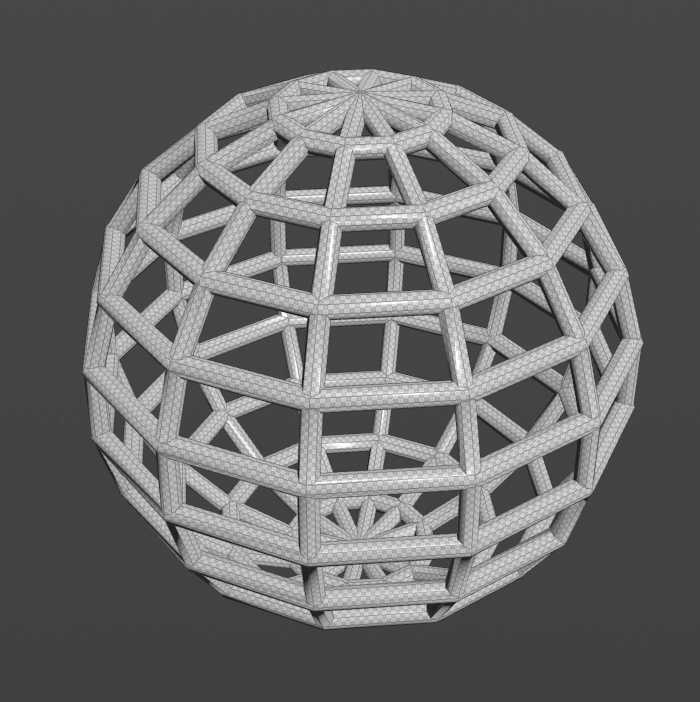
you could feed rows and columns into separate sweep nodes with slightly different radii and boolean union it.
I think everyone is over thinking this - you just need:
Sphere SOP > Polywire SOP
Adjust Polywire settings to taste.
Sphere SOP > Polywire SOP
Adjust Polywire settings to taste.