| On this page |
Overview 
The Python panel pane allows you to embed custom PySide6 or PyQt6 interfaces into Houdini pane tabs:
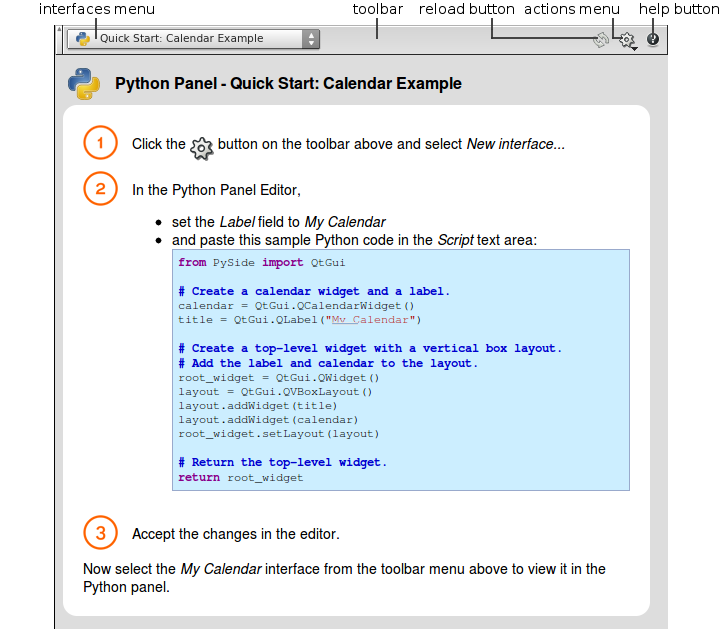
To open the Python panel pane:
-
Click the
 New Tab icon at the top of a pane and select New Pane Tab Type ▸ Misc ▸ Python Panel.
or
-
 click an existing pane and select Misc ▸ Python Panel.
How to 
| To... | Do this |
|---|---|
|
Display a PySide6/PyQt6 interface in the panel |
Select an entry from the interfaces menu. |
|
Create a new PySide6/PyQt6 interface |
Click |
|
Edit the current PySide6/PyQt6 interface |
Click |
|
Delete PySide6/PyQt6 interfaces |
Click |
|
Click |
|
|
Reload the current interface |
Click |
 and select New Interface.
 .
.Additional Help 
Read the Python Panel Editor help page for information on how to create PySide6 or PyQt6 interfaces and for coding examples.
| See also |


