-
How can I Start/stop the license server?
-
In some instances you may need to stop/restart the license server.
There are times when you may need to restart the license server such as when you are installing licenses manually. The license server is called sesinetd.
You must have "admin" rights (root, sudo) to be able to stop/start the license server.
Launcher
NOTE:
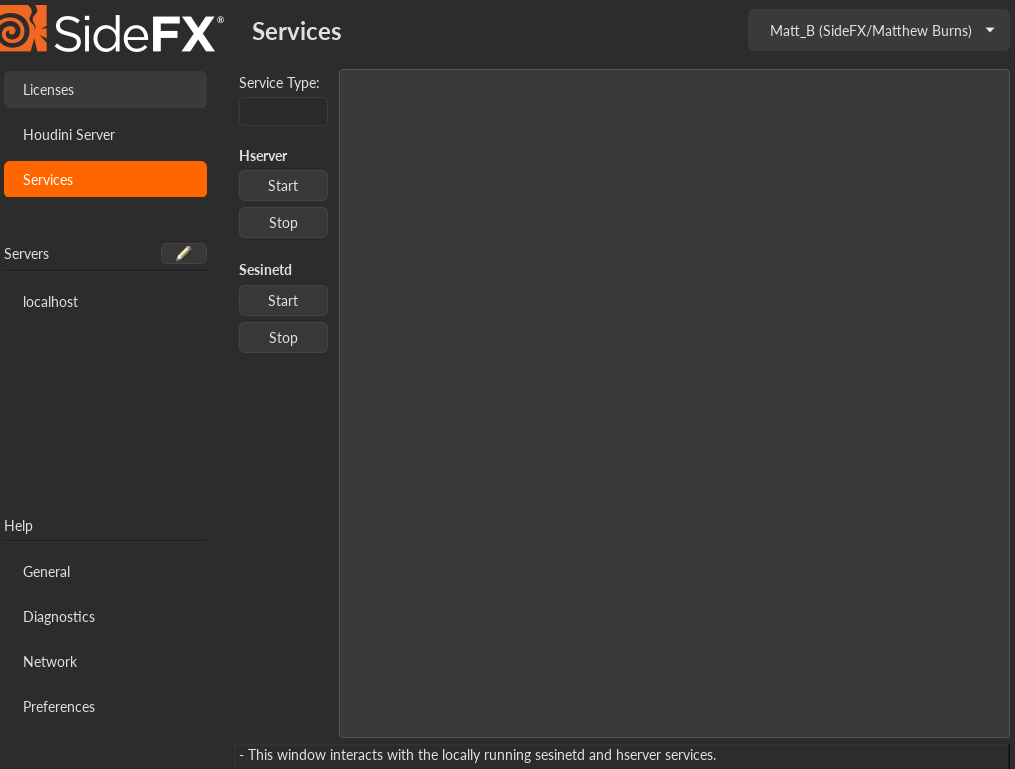
For locally running License Server(sesinetd) and Houdini Server(hserver) services only.
- Launch the License Administrator(hkey).
- Navigate to the services section in the left sidebar.
- Use the Start/Stop button to issue a command to the respective service.

Windows
You can start and stop the HoudiniLicenseServer in the Services area of Windows.
- Control Panel -> Administrative Tools -> Services
- The service HoudiniLicenseServer controls the license server program sesinetd.
Linux
- Usage:
/etc/init.d/sesinetd {start|stop}
Mac
- Launch the Terminal from Utilities
- To stop the license server: sudo launchctl unload
/Library/LaunchDaemons/com.sidefx.sesinetd.plist - To start the license server: sudo launchctl load -w
/Library/LaunchDaemons/com.sidefx.sesinetd.plist
If you receive an error saying /Library/LaunchDaemons/com.sidefx.sesinetd.plist: No such file or directory, please reinstall Houdini and choose Commercial Licensing. This will install the necessary license server files. Please refer to this page for other potential problems on MacOS.
When you restart the license server software on a centralized server machine, the remote clients will not lose their sessions for approximately 5 minutes of a failed heartbeat (or license check).