-
How can I use Houdini Engine in other applications?
-
Using Houdini Engine official or custom plugins in other applications.
Overview
Houdini Engine can be accessed using plug-ins built using the Houdini Engine API. The plug-in works in a host application then uses the Engine to cook the results and make them available to the host application.
Requirements
- You need to have Houdini software installed on your computer.
- A valid engine license.
- A plugin for the application you wish to use Houdini Engine with.
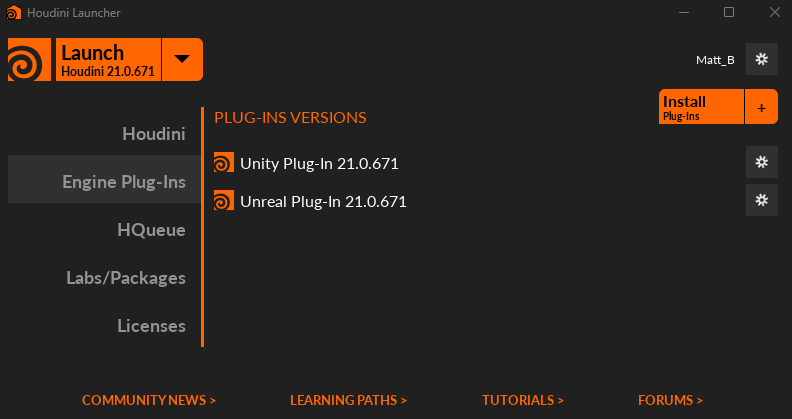
Download the plugins
- Open the Houdini Launcher and go to Engine Plug-Ins.
- Click the "Install Plug-Ins" button.
- Select the Plug-Ins you want to download and click "Install".

NOTE:
If a plugin is greyed out, this is because it is already installed or not supported on your OS.
Artists can access the Houdini Engine using plug-ins for applications such as Unreal, Unity, Autodesk Maya, or 3DS Max. There is a Cinema 4D plugin that is developed and maintained by Maxon. Studios can also use the Houdini Engine API to create their own plug-ins for large scale pipeline integration. These custom plug-ins require a commercial Houdini Engine license. Houdini Engine Indie will work with the plug-ins listed here.