
Different outcome in viewport than in mantra render (hipnc attach)

   2181   5   2
User Avatar
Member
161 posts
Joined: Nov. 2018
Offline
I am learning to work in houdini, extremely simple animations.

I noticed that the look of this mesh, is looking like in lower resolution in the mantra render, than in the viewport.
For example, the light is looking weaker in the render than in viewport. Also, the mesh in the viewport looks not as smooth as in the render view.
Overall the picture from the render looks less interesting than in the viewport.

What is the simple information am i missing?

Please try to look pictures i provided and maybe hip file, i might learn something new from your answers. :

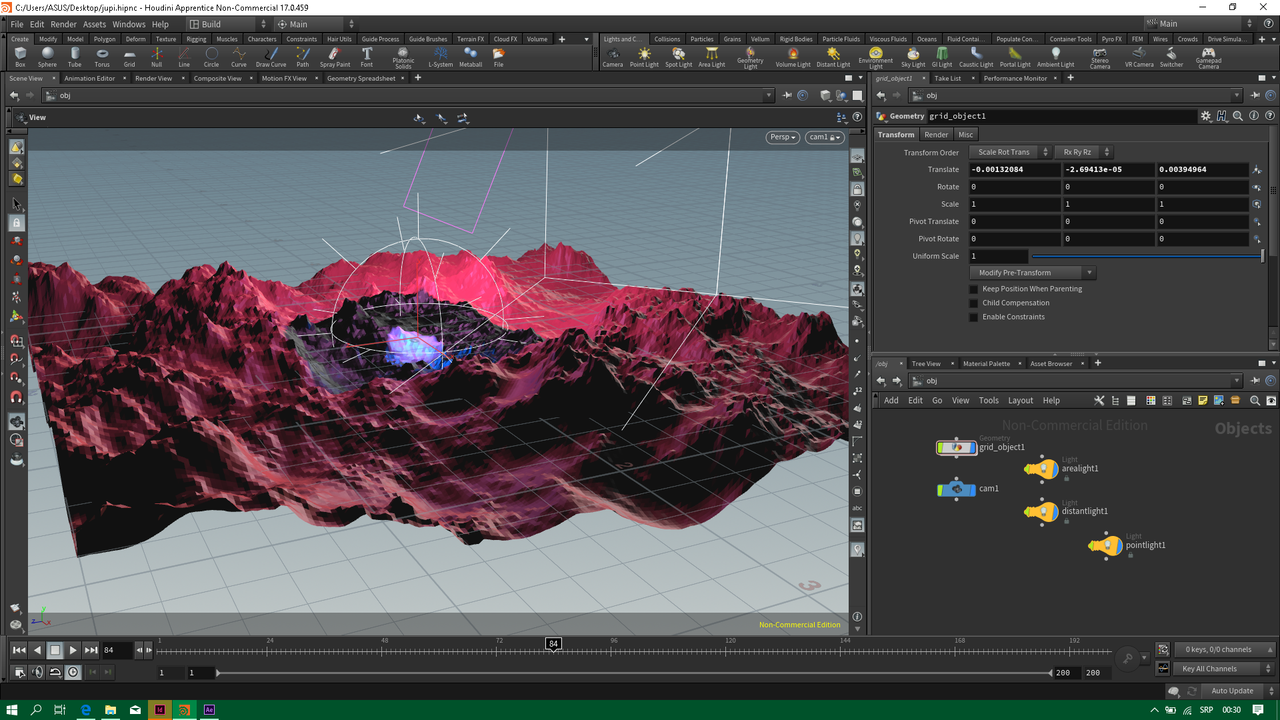
[postimg.cc]

[postimg.cc]
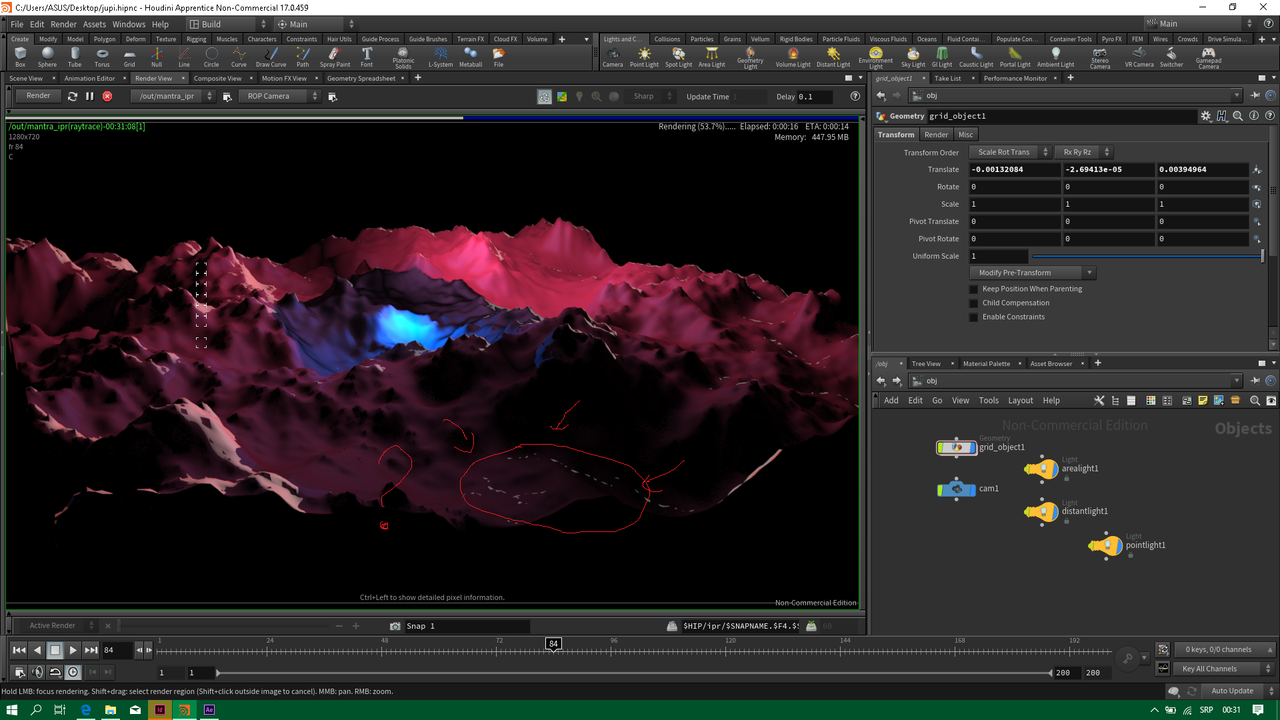
Also, why do these lights (shadows) look so shallow, boring, thin, unlike in the viewport? Is it the area light that is not showing in the render view? Why is so, if so?
Edited by MilanB - Jan. 24, 2019 19:22:55

Attachments:
jupi.hipnc (344.6 KB)

User Avatar
Member
161 posts
Joined: Nov. 2018
Offline
I know the specular makes it so interesting, but why do I get that specual outcome in the viewport and not in the render? Area light not showing in the render view?

But then from on the other thing, why is the mesh so smooth in the render and not as edgy as in the viewport? Whats going on
User Avatar
Member
4189 posts
Joined: June 2012
Offline
There's a few moving parts to this answer but it sets the foundation for shading work.

There are two ‘renderers’ when working with the viewport and the render view. The viewport uses OpenGL and the renderview uses Mantra. They are two different technologies that are only married if when the lighting and the material support a similar set of technologies. The setup you have is using a very basic light renderer in the viewport and an unknown ‘default’ shader in Mantra.

Once you apply a material, like the Principle Shader, that is set up correctly for OpenGL and Mantra, and, set the viewport to a high quality lighting setting they will fairly well match.

Attachments:
Screenshot_20190125_114003.png (686.0 KB)
jupi_edit.hipnc (516.8 KB)

User Avatar
Member
161 posts
Joined: Nov. 2018
Offline
fuos
Once you apply a material, like the Principle Shader, that is set up correctly for OpenGL and Mantra, and, set the viewport to a high quality lighting setting they will fairly well match.

What do you mean by setting up correctly for OpenGl and Mantra, and lighting to high quality settings? What are those settings?

And, are you saying, that the scene how it looked in my viewport (not the render view), can't look like that in the mantra render? Because you just changed the look to one outcome by just clicking from the gallery on the principle shader.

One more thing.
Why is the viewport from your file showing smooth mesh? I deleted the principle shader from the Material Palette and the smooth look is still there. You see how in my viewport the mesh is looking sharp (edgy)? What did you do?
User Avatar
Member
4189 posts
Joined: June 2012
Offline
The smooth shading is set via the box at the top right of the viewport, and, the lighting is set but the lightbulbs on the rightside. Try them out!

It would be hard to make Mantra look like the viewport with those settings, you can use the OpeGLRop if you want to render exactly what you see in the viewport.
User Avatar
Member
161 posts
Joined: Nov. 2018
Offline
As for the questions I had, I have it solved now, so thank you a lot for this tiny but big help.
  • Quick Links
