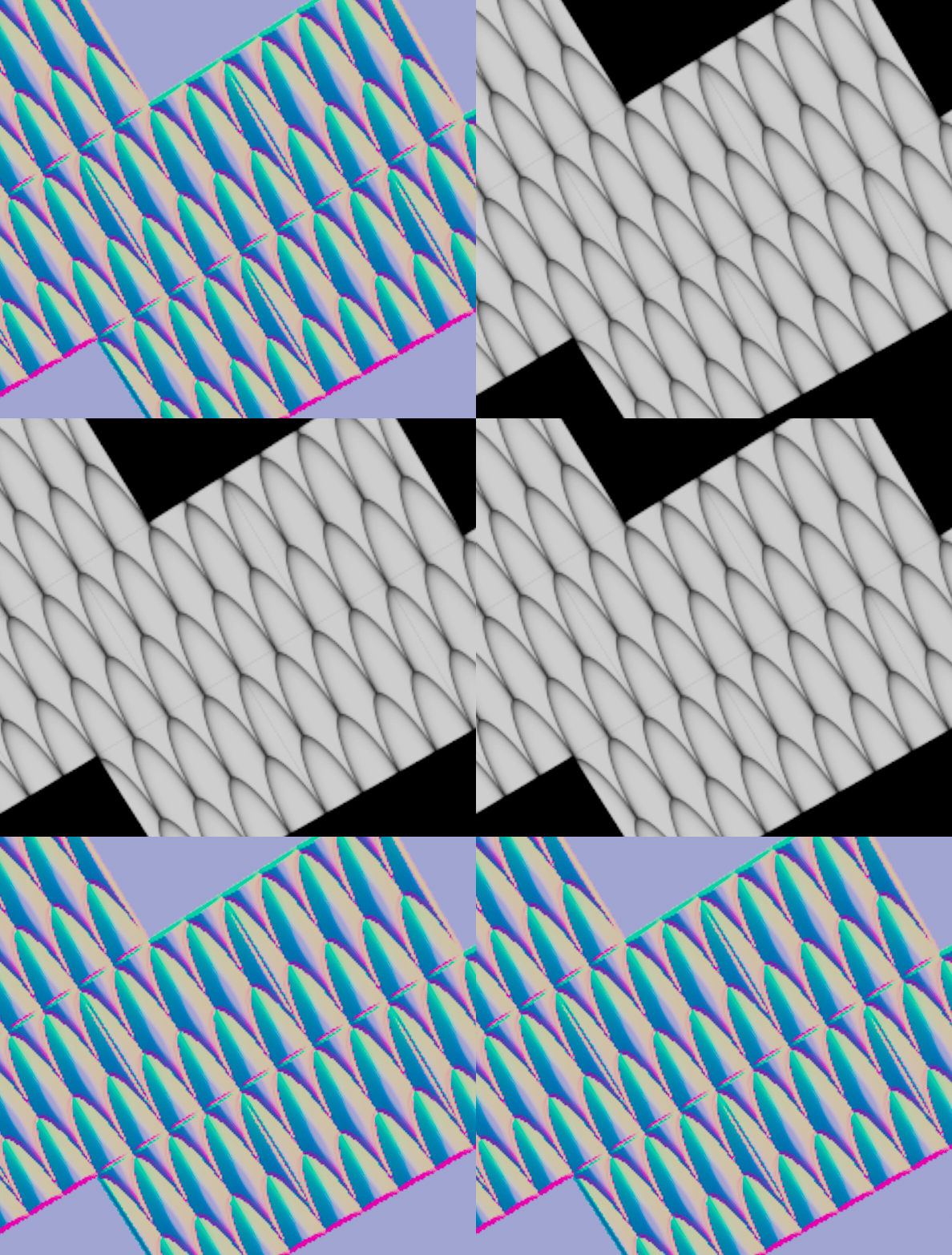
I’m running into something odd with the Tile Pattern COP in Houdini COPs and wanted to see if anyone else has noticed this.
Even with **Inset turned completely OFF**, there still seems to be a very tiny seam/gap between tiles. It’s subtle, but definitely visible — especially once textures are filtered or used downstream. It almost looks like there’s still some sort of implicit padding or UV shrink happening internally.
Has anyone dug into this or found a proper workaround? Is this expected behavior, floating point precision weirdness, texture filtering, or possibly a bug?
Would love to know if others are seeing the same thing or if there’s a clean fix.
This is an interesting bug, quite common in Houdini, so I don't think it will be fixed. The "shape edge Filter" parameter in the Drawing section (below the "Shape" section) is responsible for this stripe between tiles. By default, it's set to 2 (I don't know why). You need to set it to 0, and the stripe will disappear. BUT, that's if you're using a built-in pattern. If you add your own stamp, the entire section will become inactive, but the parameter will be enabled by default, and you'll get a permanent stripe, hahaha. What should you do? Disable your stamp, the parameter will become available, set it to 0, add your stamp, and the parameter will become inactive but with a value of 0. Perhaps I should keep 0 as the default value of this node? The second option is to forget about this node and use "stamppoint," where you can input your own attribute points and stamps. I've been doing this for a while now. shape edge Filter is a parameter in stampoint.