
ZBrush displacements

   6648   3   2
User Avatar
Member
295 posts
Joined: Oct. 2008
Offline
I'm having some issues trying to match the ZBrush model and what mantra renders it as.

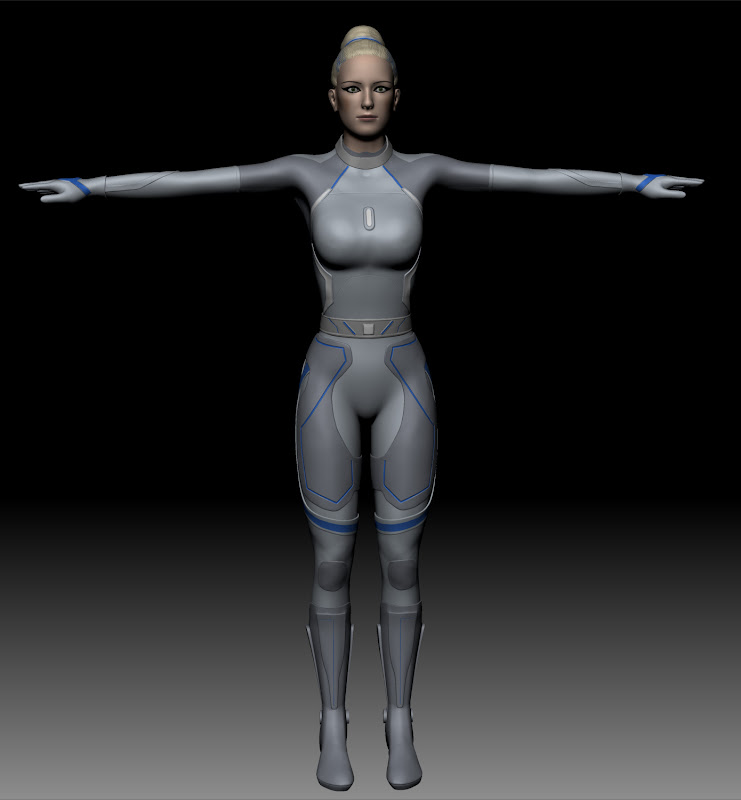
The ZBrush model has about 15 separate pieces, each it's own OBJ file, UV map, displacement, and texture map. I've brought in each of the pieces into Houdini, and assigned a Basic Displacement material to all.

The ZBrush model looks like this:


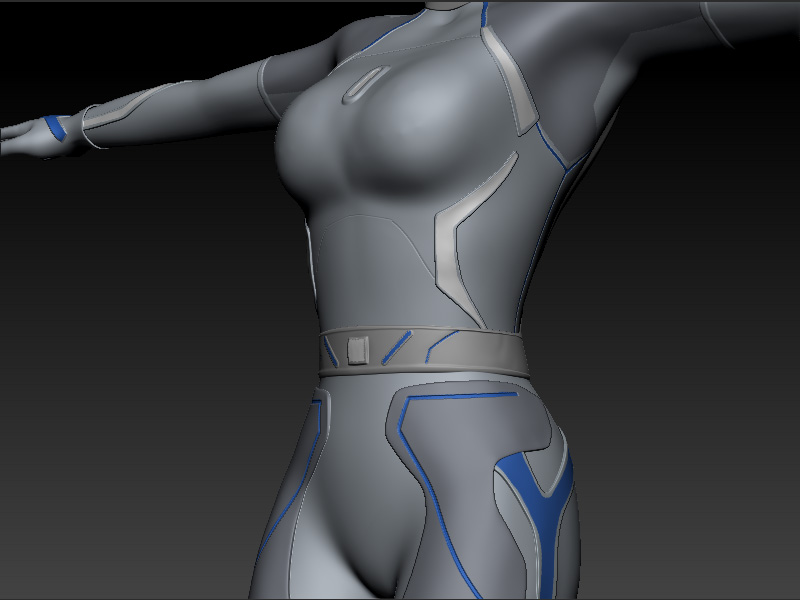
Another shot, with a similar angle to the next one (this is from ZBrush):

The mantra render looks like this:
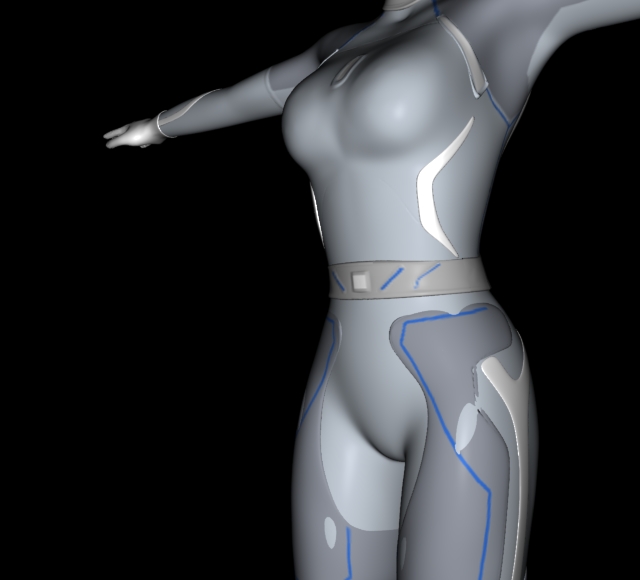

Not everything has materials assigned in the pic, but the body, the details above the breast, the belt, and the thigh pads do have materials, with displacement maps and texture maps assigned.

The object has Polygons as Subdivisions turned ON.

If it matters, most of the disp/texture maps are 1024X1024, with the exception of the head and suit which is 2048X2048. A few of the smaller pieces are 512X512.

One problem is that some pieces seem poke through. Another is that with some of the pieces (see the top detail above the breast, near the armpit) seem distorted?

Is there a better way to deal with this? Any tips for getting the best render with a model from ZB in Houdini?
Houdini Models [learning3dfromscratch.blogspot.com]
User Avatar
Staff
2540 posts
Joined: July 2005
Offline
Have you tried the VOP setups from the Side Effects Exchange?

http://www.sidefx.com/exchange/info.php?fileid=435&versionid=435 [sidefx.com]

and

http://www.sidefx.com/exchange/info.php?fileid=562&versionid=562 [sidefx.com]
There's at least one school like the old school!
User Avatar
Member
295 posts
Joined: Oct. 2008
Offline
The experiments I had tried before didn't work very well with those. They don't seem to understand a 32 bit displacement map.
I just tried the first one you linked to and it looks pretty bad, unless it's not expecting a 32 bit disp map, or there's some other way to use it.

The second link is only for normal maps, which, as far as I know, I don't want to use. My understanding is that if you want real displacements to make things look good, you want to use displacement maps, not normal maps. Is that correct?
Houdini Models [learning3dfromscratch.blogspot.com]
User Avatar
Member
295 posts
Joined: Oct. 2008
Offline
I have just tried the VEX ZBrush disp OTL and it's just not working. The results look bad no matter what you put in for the displacement value, and if I regenerate the map as a 16 bit displacement it looks bad too.
This was written in 2007, and ZBrush is now at version 3R3, so maybe something's changed since then.
Houdini Models [learning3dfromscratch.blogspot.com]
  • Quick Links
