Lessons
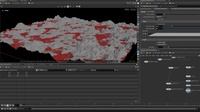
How to Generate Heightfield Masks Using Copernicus
Learn how to set up heightfield masks using the COPs context in Houdini 21. This tutorial explains how to generate and control masks using COPs as it doesn't just work out of the box. This video covers how to setup volumes and their names and attributes in a way that allows you to preview the masks generated directly in the viewport.
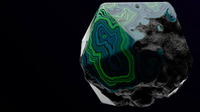
PBR Texturing in Copernicus
Create the so called “Detroid Agate” which is not actually a rock, but paint scraps created by car paint. COPs is perfect for this case and since Houdini 21, it is easier than ever to create unique textures like these.
0:18:07
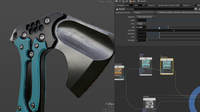
Axe Texturing: full breakdown of COPs texturing
In this video you will learn more about texturing an asset for games using COPs in Houdini 21. This will be a full overview with a PBR workflow in mind. This means it will tackle Color, Roughness, Metal and Normal maps.
This video is based on my Axe modelling video, then you will have a full breakdown on making an asset.
https://www.youtube.com/watch?v=bIGOF5nvPtA
The approach will be something close to Substance. Building a setup that feel great to use and easy to add on top of it. This video can only be the beginning of a more complex asset setup.
First will be baking, this means getting all the useful maps. Such as a Normal, AO, World Normal, Position,... This is a standard start but important as all maps will be used to create the final result.
A color ID mask will be generated to mask and blend materials together.
For creating materials you will see how to make a custom HDA that outputs a material. This will make it easy for us to add more materials quickly over time. Rather then setting up each map and material manually.
Get Axe file
https://siver.gumroad.com/l/lrnut
1:04:35

Creating Quartz! - With COPS!
In this tutorial, we will model, surface, and light a Quartz model using cops and Solaris.
We will start in the COPs context, generate our textures, then model the rock's shape, create the shaders, and light the scene. We will also add a fun bioluminescent glow to the rock for added fun!

Project Elderwood | Texturing with Copernicus
この初心者向けチュートリアルシリーズでは、Raw 形式の高ポリゴンフォトグラメトリメッシュから、タイリング用マテリアルを作成する方法を学びます。手持ちの写真からスキャンを生成し、その結果を Houdini に取り込み、パッチ状にベイクして四角いテクスチャを作成し、それをタイリング用テクスチャへと加工します。独自の「Make it Tile (タイル化)」機能や「HSV Equalize (HSV の均一化)」「Clone Stamp (クローンスタンプ)」などの構築方法も習得できます。Copernicus によるマテリアル制作の手軽さを、ご自身で確かめてみてください。さらに興味があれば、内部の構造をのぞいて、自分専用のテクスチャベイクツールの設定方法を習得すると良いでしょう。
1:10:33

How to Create Organic Textures
Learn how to create organic textures using the new Copernicus context. Learn how to generate rock features using noise then how to rasterize Scattered Geometry to generate Dirt and finally how to scatter and Point Stamp Grass. In these lessons you will learn how to work back and forth between COPS and SOPS and how to render your textures with Karma XPU.
1:04:36
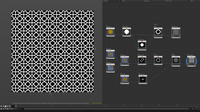
Getting Started with Copernicus | SDF Shapes & Patterns
In this video, we start exploring Copernicus in Houdini 20.5 by working with SDF shapes and assembling them into more complex forms and patterns.
We’ll wrap up by creating 2 tiling patterns inspired by Arabic culture!
Key topics include:
🧊 Working with SDF primitive shapes
🧠 Combining SDFs to build complex forms
🔁 Creating tileable patterns
🚀 A beginner-friendly intro to Copernicus
The Ultimate Copernicus Guide
Copernicus is Houdini's new context for processing images. It can be used to generate textures or to create slap comps of your renderings. This tutorial is designed as a reference/documentation guide for every COPS node as of Houdini 20.5.

Realistic Shading using COPS and Karma XPU
Learn how to create realistic textures using similar workflows as in substance painter/designer.
Sci-fi texture using Copernicus
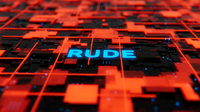
How to design a greeble sci-fi looking texture in COPernicus and how to render it in solaris using karma xpu.
Full PBR Material in Copernicus in Under 10 Minutes! | Complete Beginner Workflow
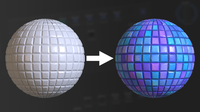
In this episode, we dive into the full material workflow in Copernicus — from scratch to PBR-ready in under 10 minutes! 🎨
Perfect for beginners, we start by generating the Height, the Base Color and then create all the essential maps for a complete material setup.
Key topics include:
🗺 Creating height maps from scratch
🧪 Generating roughness, normals, and AO
⚙️ Full Copernicus material workflow, step by step
How To Create Tile-Based Textures
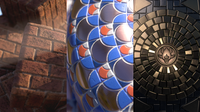
In this video series, you will learn how to make use of the Tile Pattern COP node in various
0:57:19
Houdini Content