Lessons

How to use the Apex Motion Mixer
This is a beginner's tutorial where I will teach you that how can you use the new Apex Motion Mixer

Animation Workshop
An in-depth walkthrough of the tools, features and workflows for animating KineFX Characters that have been rigged using APEX in Houdini 20.5. You wlll start with the basics such as setting up selection sets, then move to more advanced features. By the end of the workshop, you will have the knowledge and understanding to animate in Houdini.
1:51:16

Project Titan EVO | Materials
Learn how to create a collection of procedural tileable materials in Houdini using Copernicus. You’ll explore how geometry, patterns, noise, and color can be combined to build flexible surfaces that are easy to adjust and reuse across different environment assets.
You’ll also create metal, brick, and wooden plank materials, starting from simple procedural setups and developing them into finished tileable textures with layered surface detail. This workflow gives artists a practical introduction to building reusable environment materials with Copernicus while keeping the process flexible and art directable.
0:59:14
Texturing with COPs for Substance Designer artists
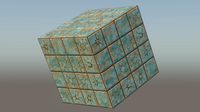
Learn how to recreate a patterned tile material in Houdini while comparing the workflow with familiar Substance Designer techniques. You’ll build the base tile layout, create decorative patterns, develop a marble-like surface, and layer masks, warps, blends, damage, chipping, edge wear, and surface imperfections to create a more believable final material.
You’ll also explore how to apply the finished material to a mesh in a scene. This workflow is valuable for artists coming from Substance Designer who want to understand how procedural material-building concepts translate into Houdini.
0:43:41

Rig & Animate a Stylized Crab
Learn how to rig and animate a character in Houdini using APEX and the AutoRig Builder. This tutorial walks through a practical, artist-friendly workflow for taking an asset through rigging, animation, and final rendering while making Houdini’s new animation tools easier to understand and use.
Follow along Chapters 1 to 3, to fully rig the crab and learn about APEX Auto Rig Builder! Jump straight into animating through Chapters 4 & 5 along with the CH4_Animation_Start Project Files! Finalize your shot into a cool render in the final Chapter!
3:36:00
Houdini Content