PROCEDURAL BRIDGES - TSUKUDA

He is passionate about using Houdini to create procedural content for cinematics and videogames and is working focused on Environmental design.
He graduated from IGAD (International Games Architecture & Design) in Breda and interned at SideFX‘s game dev team in Los Angeles in 2018/2019.

This is PART 4 out of 4 from the Procedural Island Tsukuda presentation given for Houdini 22's launch event in Shenzhen, China, the Houdini Hive on October 15th in Tokyo, Japan and IGDC (India Game Developers Conference) on October 28th in Chennai, India!
More than a tutorial, below you can see my thought proces and workflow in creating a 3-week project that can be used as a demo, slide by slide.
Here I will go over the procedural bridges, but if you want to see the entire project, you can check out the full presentation on my ArtStation!
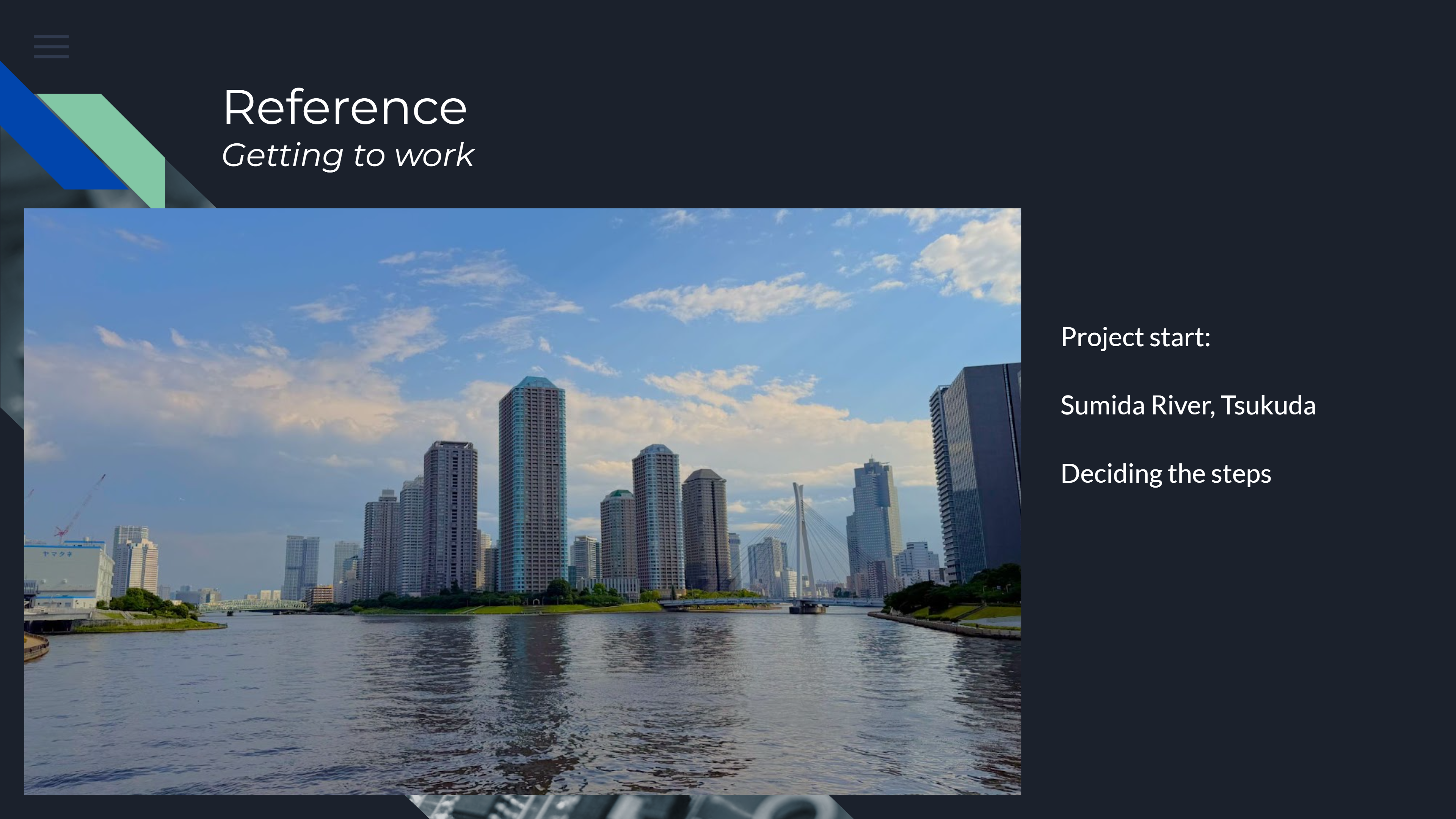
In this project, I created this island in about 3 weeks. The image above is the start of the project.

For any project, I start off with finding reference. This can be a simple as a screenshot from GoogleMaps, but I decided to take many pictures of what I think is interesting and can be helpful later on in this project.

As you can see we have 2 bridges prominently visible from our vantage point, so I want to make sure they match with their real-life counterparts.

The first bridge I’m going to build is the suspension bridge with the steel cables on the right. It’s one of the hero pieces, so it deserves a little bit more attention.

I’ve set up my camera to have a good overview of what the bridge is going to look like in its environment, and we can select the OSM data (in this case just the center line) to start working from.

I’ve started off with generating the road surface and road divider in the middle. Setting up curves with simple sweep nodes like this allows me to adjust the road width from attributes.

As this bridge will most likely be seen from both the bottom, the top and the sides, I procedurally generated the bottom structure that encloses the construction and supports of the bridge.

Next I generate the sidewalks, as well as the fences both next to the road and next to the sidewalk. Because all of this is generated based on the attributes we mentioned from the OSM data, the bridge will procedurally update all of these values.

Next, we add boxes to the side based on resampled curves and select specifically numbered points. I’ve also added the center pillar of the bride and copied points to the top that match the numbered points on the bottom of the bridge.

We can adjust the attributes such as width, length, height and curvature very easily, and the bridge updates automatically.

As we see from another angle, the bridge always looks correct when these attributes change. As we now have our basic setup, we can keep adding onto this with more and more details, and since they all use the same attributes, everything is placed correct.

The second bridge is a little less visible from our vantage point, but since I wanted to show of procedural generation of a single bridge HDA a bit more, I decided to use the base of the first bridge and add different models.

Since this bridge uses the same road and sidewalk generation, I tweaked some parameters for materials and fence generation. They look similar but are slightly different. Using procedural modelling is gives us advantage to generate different iterations.

The truss framework was generated using a basic shape that was remeshed into triangles that match the direction of the support beams of the original bridge. The next step was to adjust the height and width procedurally to match the output of the road.

Now this project consists out of 4 different procedural workflows, and this is procedural buildings, procedural boulevards, procedural trees and procedural bridges all combined.

Running through the demo in UE really gets the project vibe, and since everything is procedurally generated, the project can be optimized and adjusted where needed in a constant iterative cycle. Pretty neat!

We get great atmospheric shots that look natural from up close...

..as well as realistic overal scale and scope for this demo from a more bird's-eye view.

As you can see, not bad for a 3-week-project! We have a nice combination of all these different assets working in tangent to create a fast, iterative and playable demo in UE, that looks great!

If anything, I hope you got inspired by this short demo and procedural workflow, and are excited to start something using Houdini as well. Cheers!
CREATED BY
