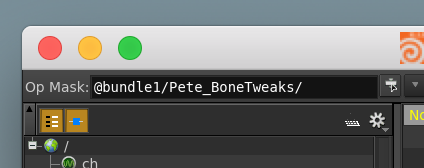
I was just wondering if anyone knows a way to put the current selection in the op mask section of the parameter spreadsheet?
In this example I wanted to tweak a sop node within each of the selected nodes. Is there a cool way to set the op mask to handle that? Doing it individually can get pretty tedious when you are doing it one by one…
You can create a new bundle by dragging the selected nodes into the Bundle List pane. Then you can select the bundle in the OP Mask chooser, or use the “arrow down” button right next to it to quick-select your bundle.
Hey thanks, Sounds like a nice little work around, only problem is that I have to access a parameter that is under the top level.
I tried adding that after the bundle - But that doesn't work, maybe I'm formatting it wrong? It'd be nice if the spreadsheet could search for parameters in sub nodes.
You could just write Bone_Tweaks, but that would give you all of them, not just the selected ones.
If you want to change those parameters more than once, then a bundle really is the way to go. Here's a little python snippet, that lets you create a bundle from the selected nodes, but it extends the node path to the sub level node you want:
input = hou.ui.readMultiInput("Create Sublevel Bundle" + 30*" ",
                             ("Bundle Name:", "Sublevel Node Name:"),
                             initial_contents=("bundle1","Bone_Tweaks"),
                             buttons=("Create Bundle", "Cancel"),
                             close_choice=1)
if input[0] == 0:
    bundle = hou.nodeBundle(input[1][0])
    if bundle in hou.nodeBundles():
        bundle.clear()
    else:
        bundle = hou.addNodeBundle(input[1][0])
    for node in hou.selectedNodes():
        sub_node = hou.node(node.path() + "/" + input[1][1])
        bundle.addNode(sub_node)
Create a new tool and paste this into the script tab -> select your nodes -> run the tool