
Radu Cius
radu cius
About Me
Senior Houdini Artist & TD | Procedural Modeling | HDA & Pipeline Tools
専門知識
Gamedev
INDUSTRY
Education | Film/TV | Gamedev
Houdini Skills
ADVANCED
Procedural Modeling | Environments | Digital Assets | Character Rigging | Animation | Karma
INTERMEDIATE
Lighting | Pyro FX | Fluids | Destruction FX | Realtime FX | PDG | VEX | Python
Availability
I am available for Full Time Work
My Tutorials
Recent Forum Posts
Houdini AI Assistant — Analyze, Debug, Build HDAs 2026年6月7日8:52
Houdini AI Assistant v0.1.6 AI-generated HDA, MaterialX, Solaris/Karma, Pyro, FLIP and RBD networks
Demo video:
Hi everyone,
I wanted to share a new demo of Houdini AI Assistant v0.1.6, a tool I’ve been developing to bring AI assistance directly inside Houdini.


The basic workflow is:
Prompt → Generate Network → Inspect → Refine
In this demo I tested several Houdini workflows:
* HDA Architect for procedural sci-fi assets
* MaterialX shader generation
* USD asset import inside Solaris
* Solaris / Karma render setups
* Pyro networks
* FLIP simulations
* RBD destruction setups
* Animation Maker for text-guided character motion
Houdini AI Assistant:
https://rart.gumroad.com/l/HoudiniAIAssistant [rart.gumroad.com]


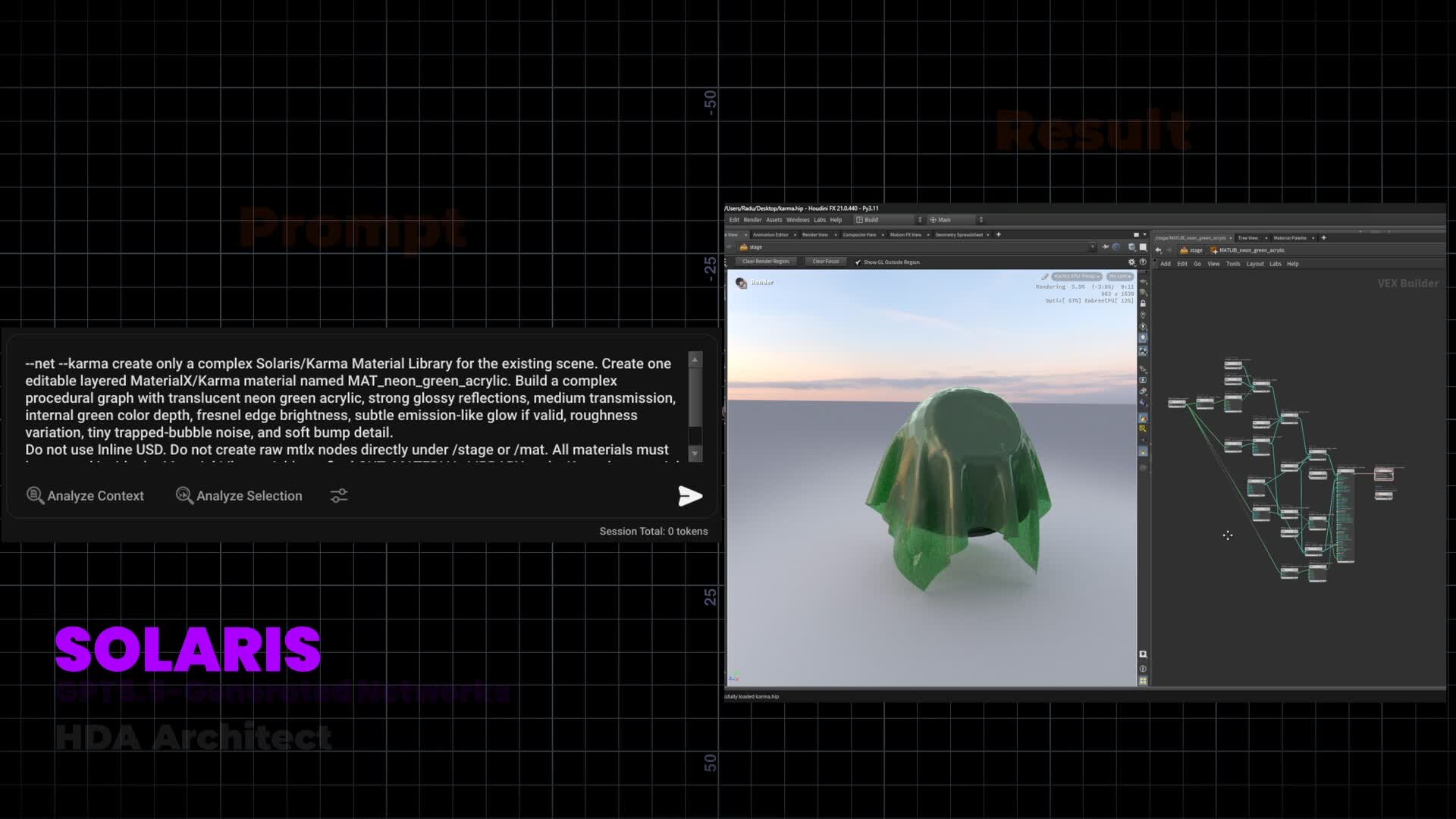
The generated networks are meant to be starting points, not final black-box results. The goal is to create editable Houdini node networks that can be inspected, modified, debugged, and improved manually.
For example, in the demo I show:
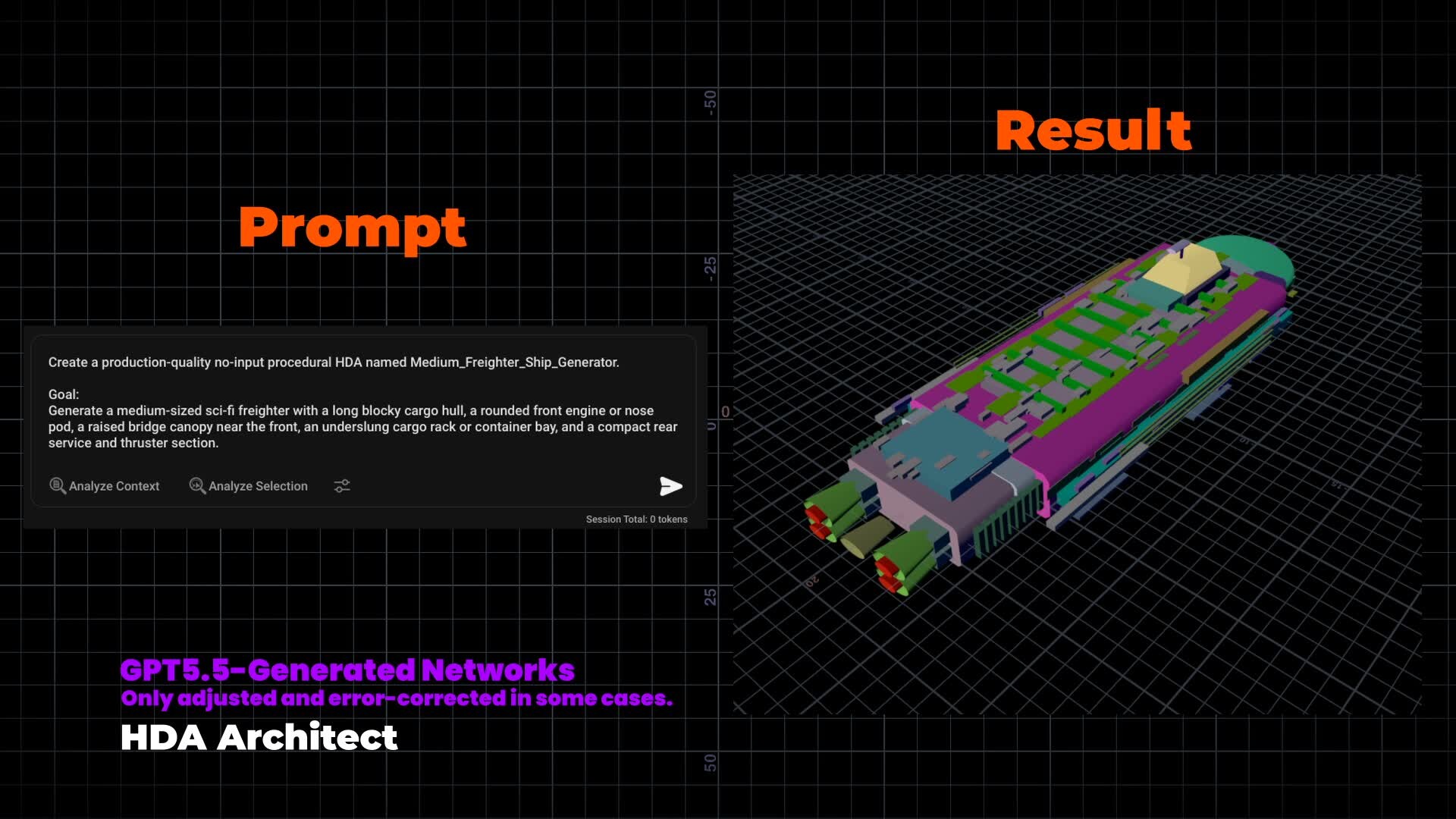
* prompt-generated procedural HDA assets, including a sci-fi hangar and freighter ship blockout
* MaterialX / Karma shader networks generated from prompts
* Pyro smoke/flame setup
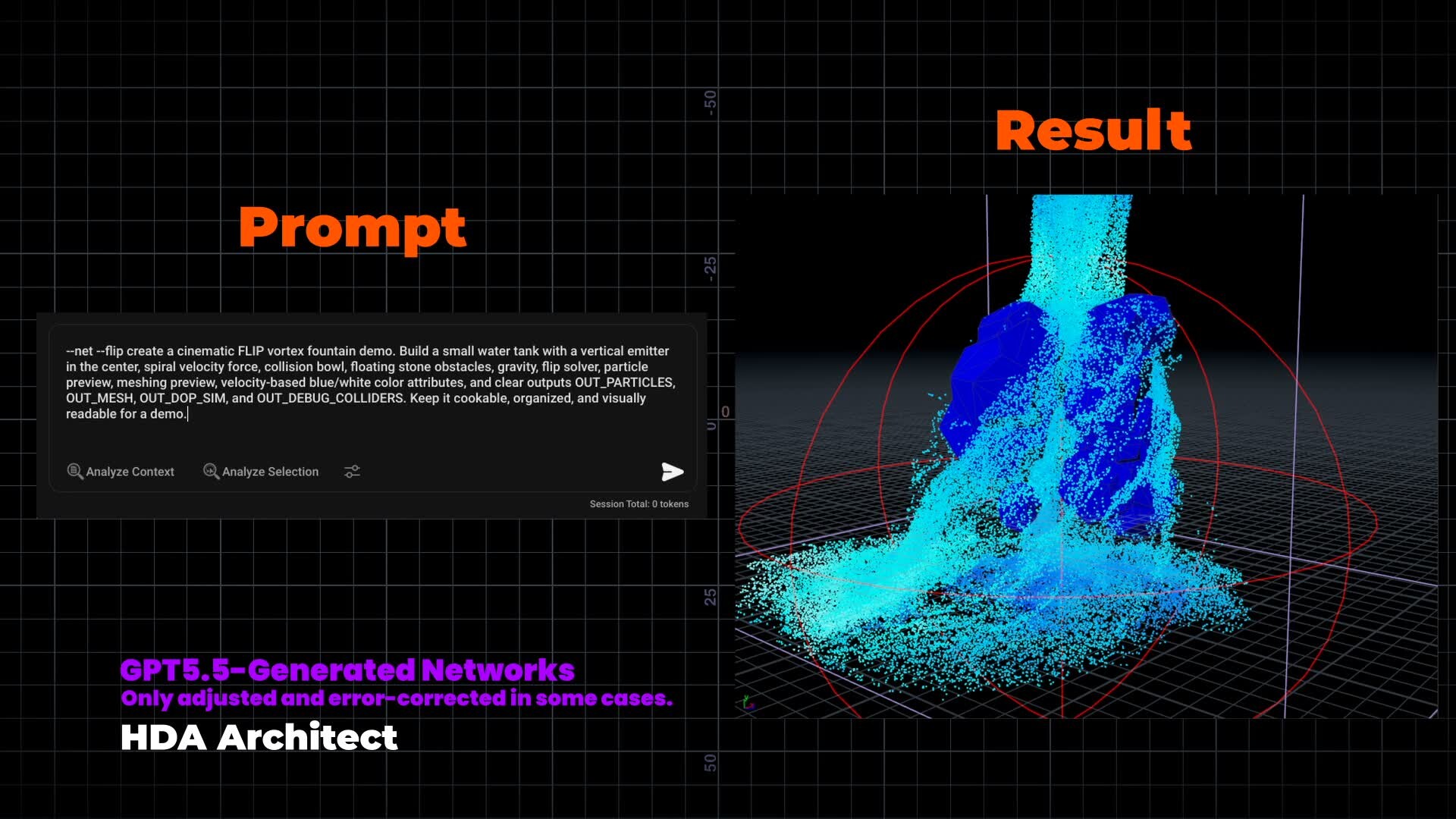
* FLIP water simulation setups
* RBD destruction setup
* Solaris/Karma render and material workflows
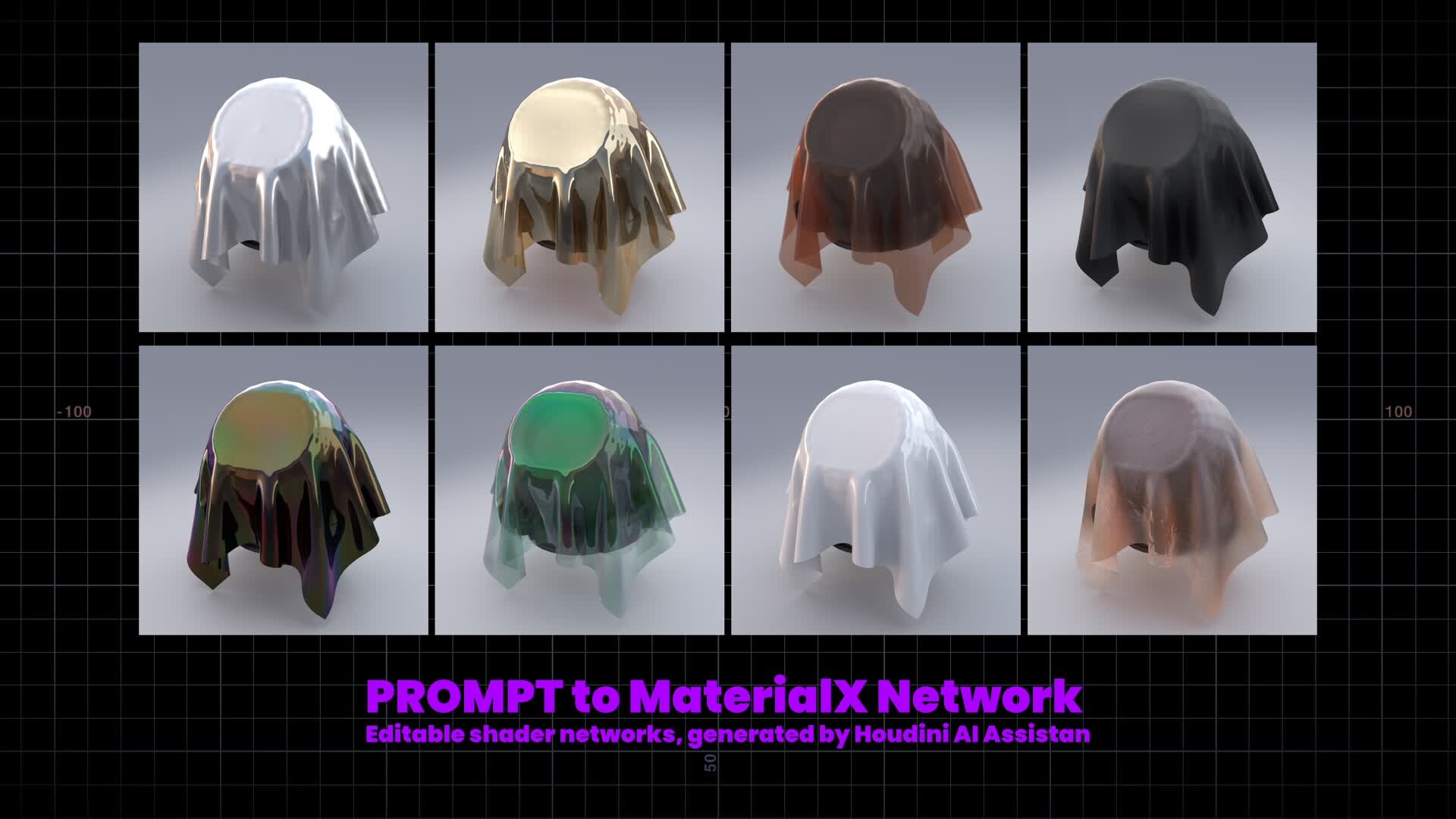

For production-quality results, manual refinement is still required especially for simulation resolution, constraints, collisions, caching, meshing, surfacing, shader cleanup, timing, and art direction.
Most examples in this demo were generated using GPT-5.5 / GPT-5.4, with some manual adjustment or error correction where needed.
For best results with HDA Architect, I currently recommend using the latest GPT models, especially for more complex Houdini setups. Local models can be useful for lighter tasks such as scene analysis, node explanations, and general Houdini help, but they are not reliable enough yet for complex HDA Architect network generation.
System requirements:
* Houdini 20.0, 20.5, 21.0
* Windows, macOS, Linux
* Animation Maker is currently available only in the Windows build
Houdini AI Assistant:
https://rart.gumroad.com/l/HoudiniAIAssistant [rart.gumroad.com]
Demo video:
Hi everyone,
I wanted to share a new demo of Houdini AI Assistant v0.1.6, a tool I’ve been developing to bring AI assistance directly inside Houdini.
The basic workflow is:
Prompt → Generate Network → Inspect → Refine
In this demo I tested several Houdini workflows:
* HDA Architect for procedural sci-fi assets
* MaterialX shader generation
* USD asset import inside Solaris
* Solaris / Karma render setups
* Pyro networks
* FLIP simulations
* RBD destruction setups
* Animation Maker for text-guided character motion
Houdini AI Assistant:
https://rart.gumroad.com/l/HoudiniAIAssistant [rart.gumroad.com]
The generated networks are meant to be starting points, not final black-box results. The goal is to create editable Houdini node networks that can be inspected, modified, debugged, and improved manually.
For example, in the demo I show:
* prompt-generated procedural HDA assets, including a sci-fi hangar and freighter ship blockout
* MaterialX / Karma shader networks generated from prompts
* Pyro smoke/flame setup
* FLIP water simulation setups
* RBD destruction setup
* Solaris/Karma render and material workflows
For production-quality results, manual refinement is still required especially for simulation resolution, constraints, collisions, caching, meshing, surfacing, shader cleanup, timing, and art direction.
Most examples in this demo were generated using GPT-5.5 / GPT-5.4, with some manual adjustment or error correction where needed.
For best results with HDA Architect, I currently recommend using the latest GPT models, especially for more complex Houdini setups. Local models can be useful for lighter tasks such as scene analysis, node explanations, and general Houdini help, but they are not reliable enough yet for complex HDA Architect network generation.
System requirements:
* Houdini 20.0, 20.5, 21.0
* Windows, macOS, Linux
* Animation Maker is currently available only in the Windows build
Houdini AI Assistant:
https://rart.gumroad.com/l/HoudiniAIAssistant [rart.gumroad.com]
Kimodo + KineFX: Text-to-Character Motion Workflow 2026年5月11日3:29
Hi everyone,

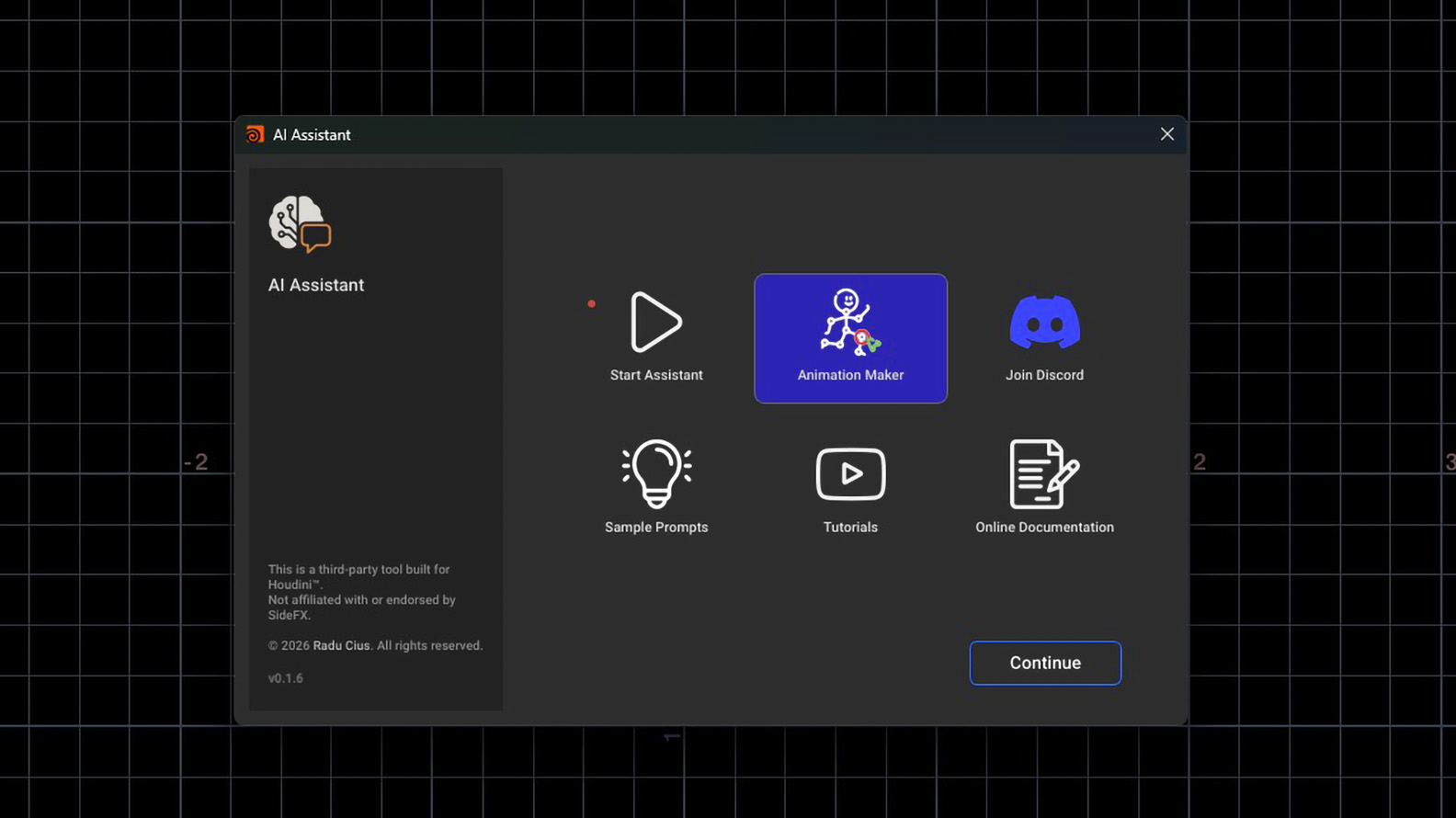
I wanted to share a new feature now available in Houdini AI Assistant: Animation Maker.
It brings text-to-character motion generation directly inside Houdini, using Kimodo for motion generation and KineFX for importing, retargeting, and continuing the animation workflow inside Houdini.
Demo:
The integration is currently available in the Houdini AI Assistant build on Gumroad.
Houdini AI Assistant:
https://rart.gumroad.com/l/HoudiniAIAssistant [rart.gumroad.com]

Current workflow:
Prompt → Generate Motion → Adjust Character Position → Regenerate
The current build supports:
- Text-to-character motion generation
- Multi-prompt timeline
- 2D root waypoint controls
- Full-body keyframe guides
- Hand and foot guide tracks
- KineFX retargeting workflow

The idea is not just to generate a motion clip externally, but to make the result editable and usable inside Houdini. The generated motion can be imported as BVH, retargeted through KineFX, adjusted, and reused as part of a Houdini character workflow.
At the moment this is still an early Windows beta and focused on humanoid motion, since Kimodo is trained around human skeleton animation.
APEX support is something I’m also looking into.
I’m currently testing different workflows around:
Timeline-based prompt segments
Motion transitions between prompts
2D path control
Full-body constraints
Hand / foot end-effector guides
BVH import and retargeting reliability

I’d be very interested to hear thoughts from Houdini users working with KineFX, APEX, retargeting, or character animation workflows.
Would this kind of prompt-based motion generation be useful in your Houdini pipeline?
And what would be the most important control features for production use?
Thanks,
Radu
I wanted to share a new feature now available in Houdini AI Assistant: Animation Maker.
It brings text-to-character motion generation directly inside Houdini, using Kimodo for motion generation and KineFX for importing, retargeting, and continuing the animation workflow inside Houdini.
Demo:
The integration is currently available in the Houdini AI Assistant build on Gumroad.
Houdini AI Assistant:
https://rart.gumroad.com/l/HoudiniAIAssistant [rart.gumroad.com]
Current workflow:
Prompt → Generate Motion → Adjust Character Position → Regenerate
The current build supports:
- Text-to-character motion generation
- Multi-prompt timeline
- 2D root waypoint controls
- Full-body keyframe guides
- Hand and foot guide tracks
- KineFX retargeting workflow
The idea is not just to generate a motion clip externally, but to make the result editable and usable inside Houdini. The generated motion can be imported as BVH, retargeted through KineFX, adjusted, and reused as part of a Houdini character workflow.
At the moment this is still an early Windows beta and focused on humanoid motion, since Kimodo is trained around human skeleton animation.
APEX support is something I’m also looking into.
I’m currently testing different workflows around:
Timeline-based prompt segments
Motion transitions between prompts
2D path control
Full-body constraints
Hand / foot end-effector guides
BVH import and retargeting reliability
I’d be very interested to hear thoughts from Houdini users working with KineFX, APEX, retargeting, or character animation workflows.
Would this kind of prompt-based motion generation be useful in your Houdini pipeline?
And what would be the most important control features for production use?
Thanks,
Radu
Will AI replace Houdini in some tasks in the future 2026年3月9日15:38
I don’t think AI will replace Houdini, but it will definitely replace some smaller or faster tasks around it.
For quick concepts, rough effects, or low-budget work, AI will become more common. But when you need real control, revisions, consistency, and production-ready results, Houdini is still much stronger.
So in my opinion, AI will become part of the workflow, not a replacement for Houdini.
For quick concepts, rough effects, or low-budget work, AI will become more common. But when you need real control, revisions, consistency, and production-ready results, Houdini is still much stronger.
So in my opinion, AI will become part of the workflow, not a replacement for Houdini.