
I've modelled my own Luxo Jr in Houdini. For a week now I've tried different ways to rig Luxo Jr with both KineFX and APEX. Ideally I would like to use APEX as that's the future.
I'm struggling to use either KineFX or APEX to have more than one IK driver/constraint for the different parts of the arms.
I've dug into the APEX graph and connected the xform of the point/joint I want constrained to the IK driver. And it sorta works, but it's wonky and I can't seem to figure out how to limit the angles of each joint either.
One of the examples I tried using was this one done by DemNikoArt in Blender:
I tried Multi IK in APEX, and Full Body IK. I've dug deep into the APEX graph and experimented with a bunch of stuff. I feel like I may be overthinking this and in APEX it's actually a lot simpler to rig Luxo Jr.
Anyone have experience with trying to rig something like this or can give me some ideas?
Luxo Jr Rigging in APEX
2874 10 3


-
- rjiwatram
- Member

- 14 posts
- Joined: Dec. 2023
- Offline
-
- rjiwatram
- Member
- 14 posts
- Joined: Dec. 2023
- Offline
This is the APEX Network:
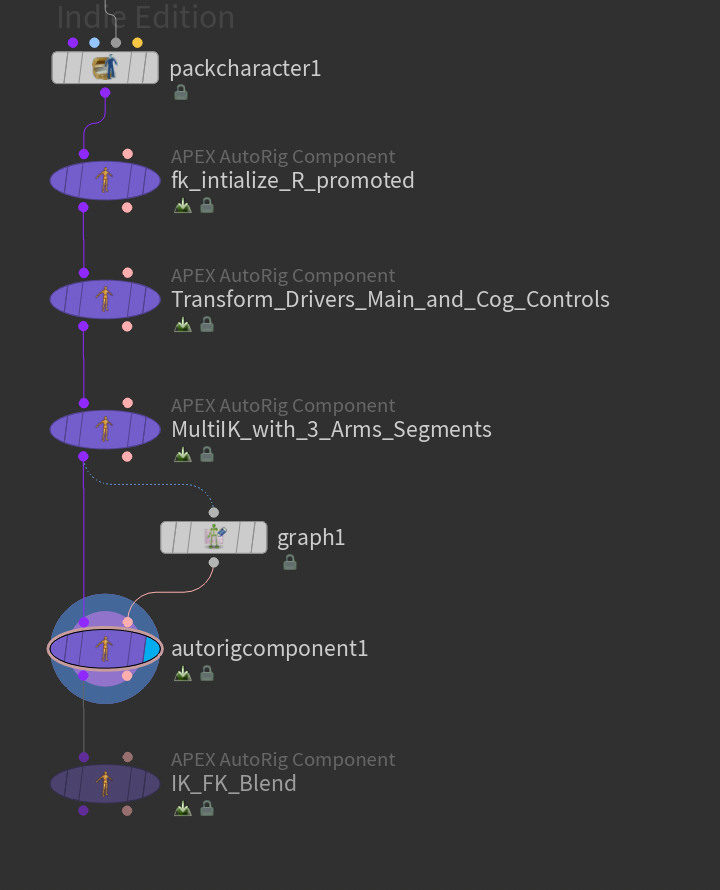
I created 3 different arm segments.
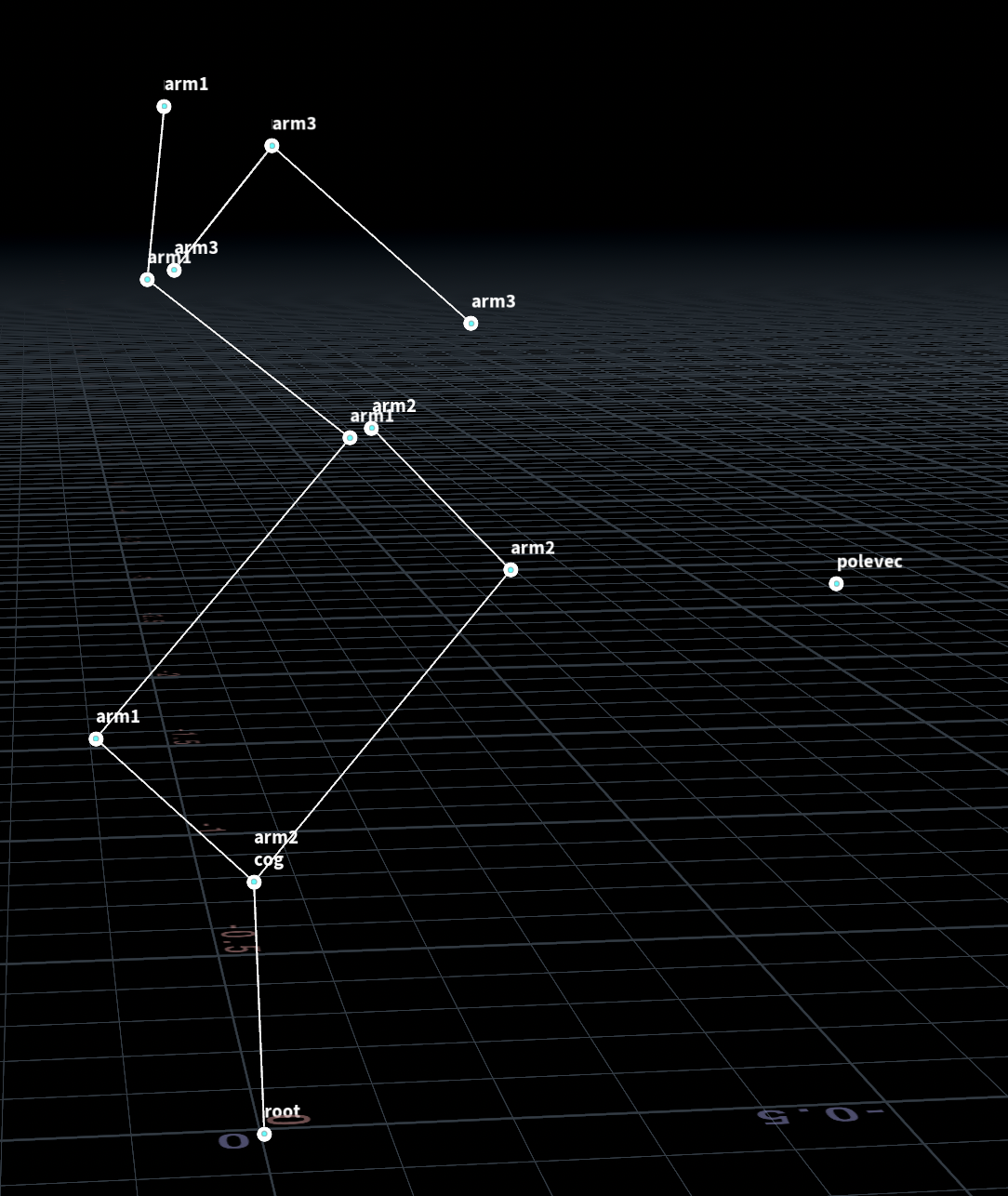
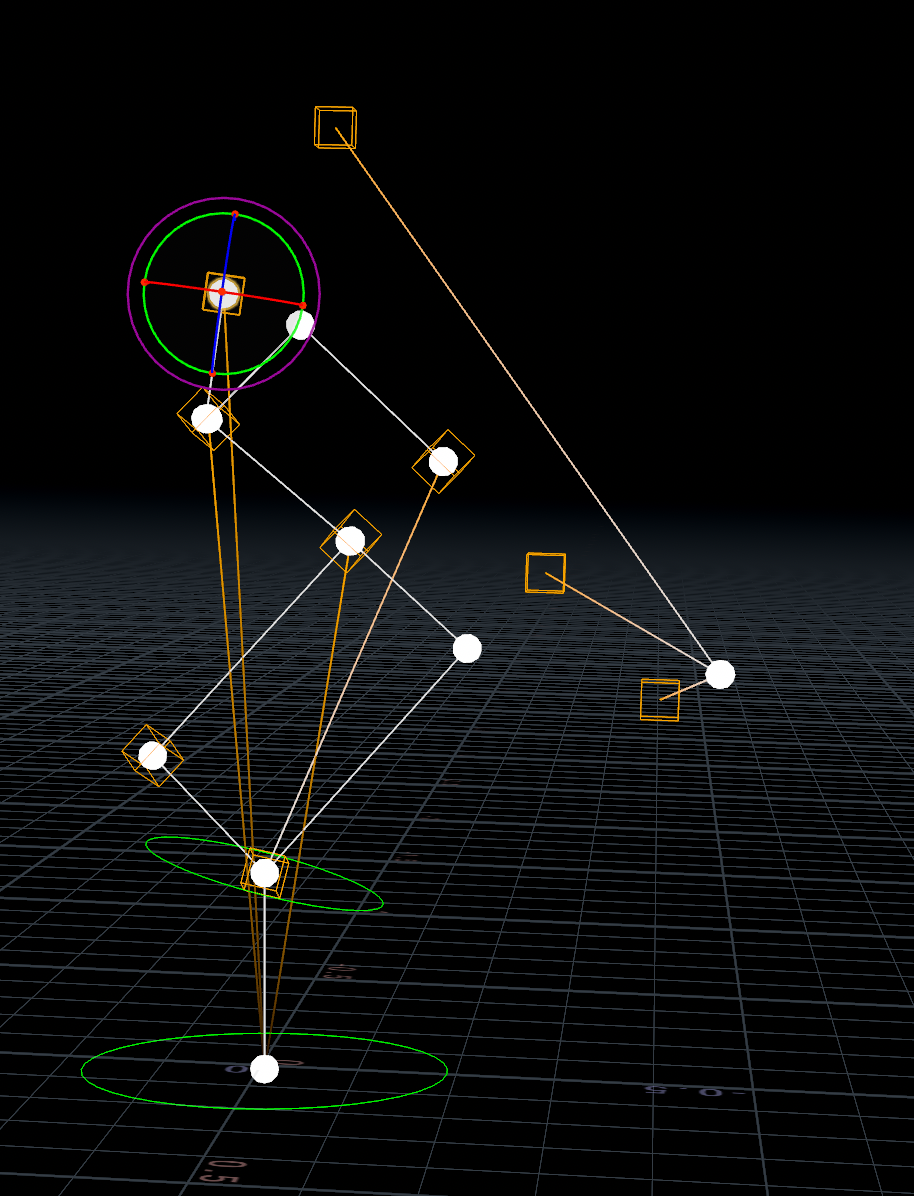
It creates an unholy mess once it goes through the APEX AutoRig Multi IK.
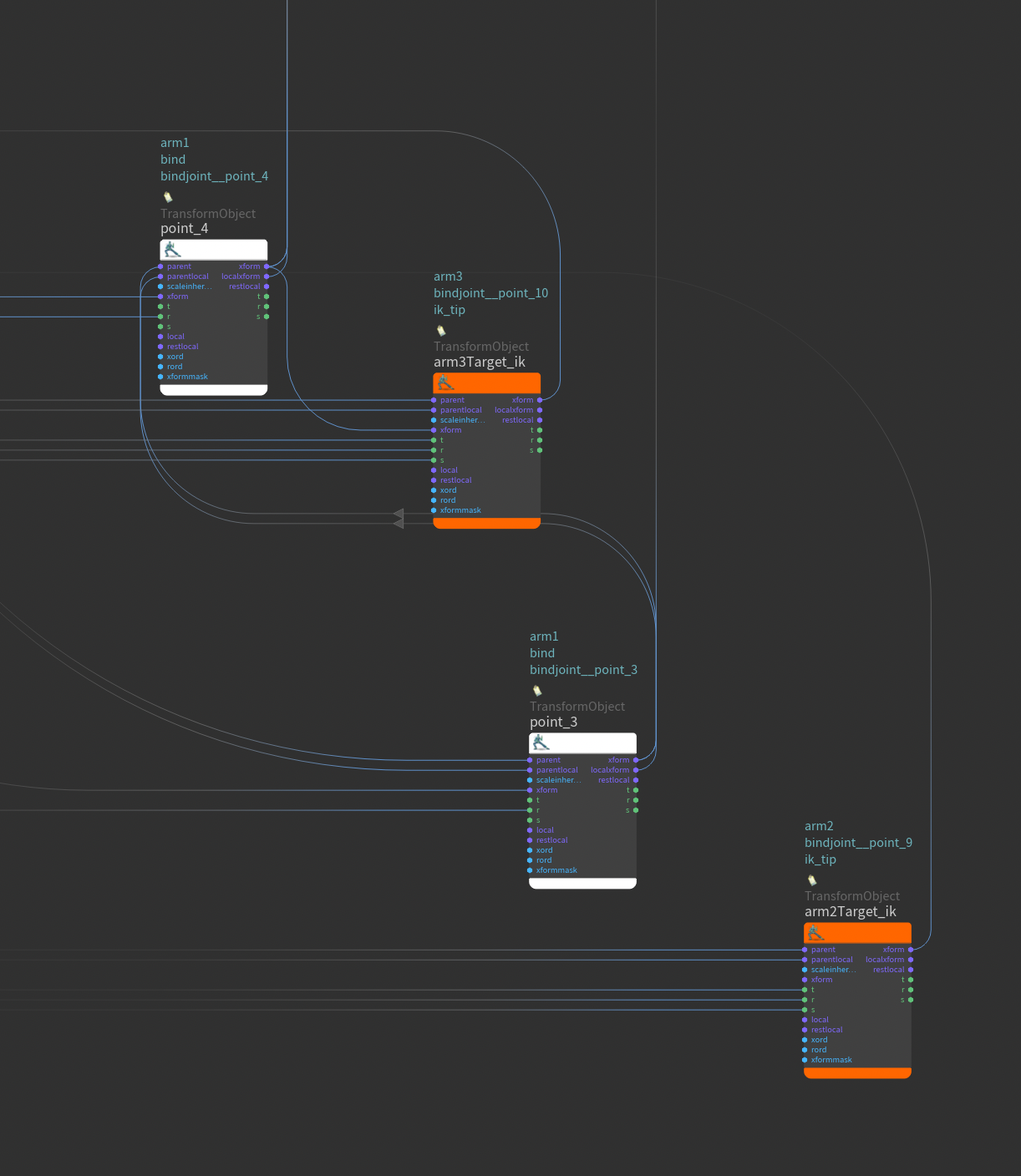
I have played around with the APEX graph to try and clean up including the multiple polevectors.
This sorta works, but once I try to attach the point_3 xform into arm2tarkgetIK the whole thing collapses. Point_4 xform to arm3targetIK xform does work.
I created 3 different arm segments.
It creates an unholy mess once it goes through the APEX AutoRig Multi IK.
I have played around with the APEX graph to try and clean up including the multiple polevectors.
This sorta works, but once I try to attach the point_3 xform into arm2tarkgetIK the whole thing collapses. Point_4 xform to arm3targetIK xform does work.
Edited by rjiwatram - May 9, 2026 22:45:45
-
- rjiwatram
- Member
- 14 posts
- Joined: Dec. 2023
- Offline
-
- rjiwatram
- Member
- 14 posts
- Joined: Dec. 2023
- Offline
I'm making some progress. I've managed to get most of the rig to work but polevec doesn't work.
And the bone (point_7 -> point_8) stretches no matter what I've tried with my clearly limited knowledge.


I used the "transform driver" component source to create a bunch of parent offsets which is the only way I've been able to get the MultiIK to work.

If I could attach a video, I would.
And the bone (point_7 -> point_8) stretches no matter what I've tried with my clearly limited knowledge.
I used the "transform driver" component source to create a bunch of parent offsets which is the only way I've been able to get the MultiIK to work.
If I could attach a video, I would.
Edited by rjiwatram - May 11, 2026 22:36:17
-

- william_harley
- Staff

- 164 posts
- Joined: Oct. 2023
- Offline
Hi, This looked like so much fun I wanted to join in.
Here is my setup for the little lamp.

I experimented quite a bit with the hierarchy, and added and removed joint chains until I got something that was working.
The right parenting is quite important in this setup, so I extracted the joints from the apex character, and used the parent joints node to make for a very fast setup.
Hope this helps
Here is my setup for the little lamp.
I experimented quite a bit with the hierarchy, and added and removed joint chains until I got something that was working.
The right parenting is quite important in this setup, so I extracted the joints from the apex character, and used the parent joints node to make for a very fast setup.
Hope this helps
Edited by william_harley - May 15, 2026 08:45:56
-
- rjiwatram
- Member
- 14 posts
- Joined: Dec. 2023
- Offline
william_harley
I experimented quite a bit with the hierarchy, and added and removed joint chains until I got something that was working.
The right parenting is quite important in this setup, so I extracted the joints from the apex character, and used the parent joints node to make for a very fast setup.
Hope this helps
Thank you so much! This is awesome. I've looked through the hip file and mostly understood it. The reparenting of joints is brilliant!
A lot to work through and apply to my project.
Thank you again. I'll post my results hopefully in a day or two.
Almost done with the modelling of Luxo Jr. Although looking at your workflow compared to mine made me chuckle. Your's is so much more efficient.
edit: The viewport subdivision is stuck. Shift + 1 shows the "Turn off Viewport Subdivision" but nothing changes. No matter what i've tried. It's not getting in the way of anything, so I've let it slide.
Edited by rjiwatram - May 16, 2026 03:19:40
-
- rjiwatram
- Member
- 14 posts
- Joined: Dec. 2023
- Offline
Woo Hoo! Worked brilliantly! Had a few quirks where apparently Jr has balls which I quickly resolved. Thought I'd post this for a laugh. I used different colors to figure out where the problem was happening.

This is with most of the geo fixed:
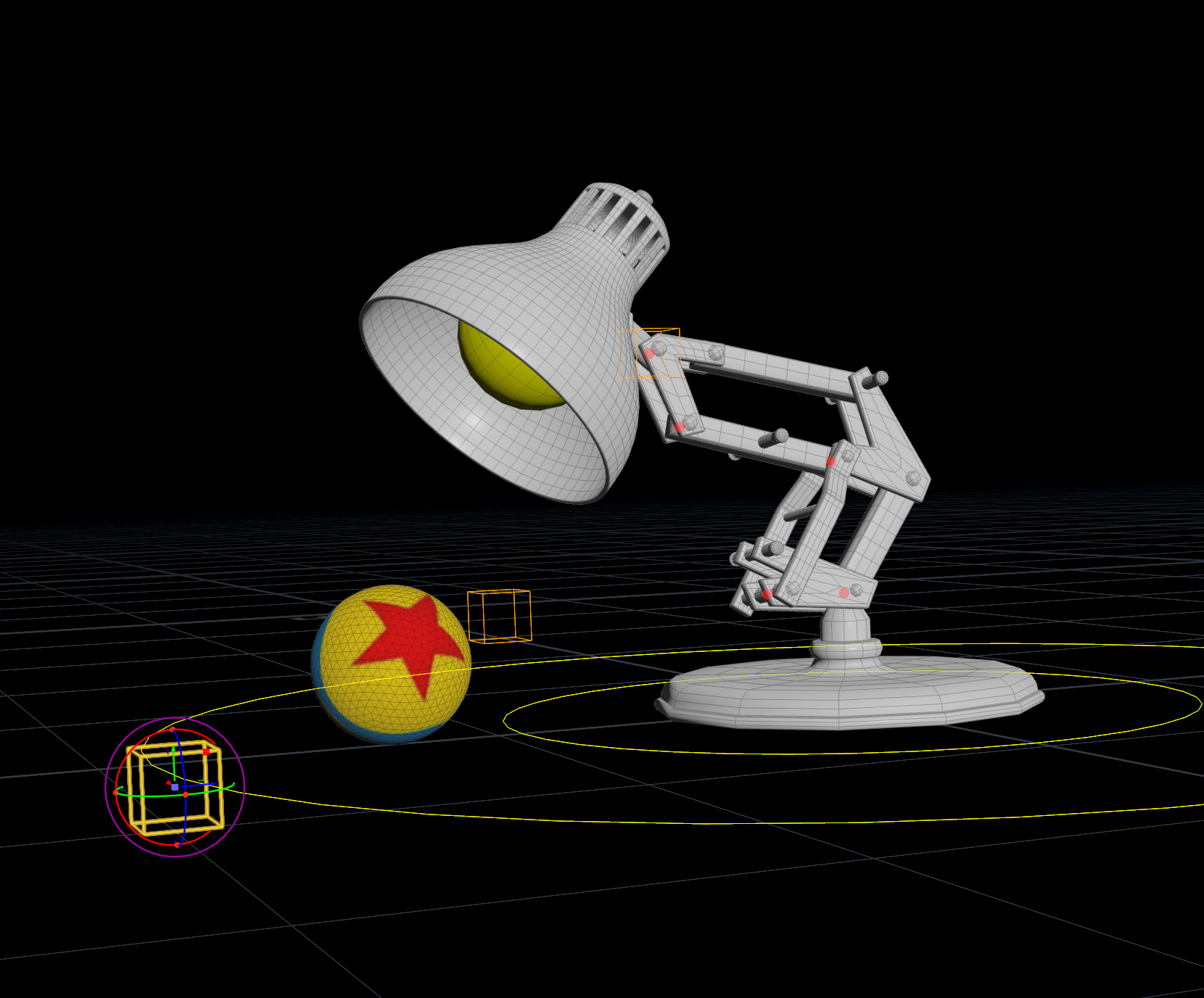
The springs I'll either rig up or do it for post animation along with the power cable. I'll create a few different setups.
This is with most of the geo fixed:
The springs I'll either rig up or do it for post animation along with the power cable. I'll create a few different setups.
Edited by rjiwatram - May 18, 2026 20:29:33
-
- william_harley
- Staff
- 164 posts
- Joined: Oct. 2023
- Offline
-
- rjiwatram
- Member
- 14 posts
- Joined: Dec. 2023
- Offline
william_harley
You can use the the lookat component for the springs.
I'm cleaning up the geo and re-organising the nodes today to make it a tad more procedural for rigging down the chain. I think I will rig the springs up more so that I can master APEX for future use, so thank you for adding that setup. I really appreciate it.
Originally I had a plan to throw the springs after the "APEX scene invoke" with this pretty straight forward setup:
Is there anyway to pack this inside of APEX where I don't have to rig the springs since I've already done the spring stretch etc procedurally? This is more an intellectual curiosity than any kind of stubbornness.
A few other questions if you don't mind me asking:
1) There is a polyframe node, one after setting up the skeleton rotation and tags; and another after the merged geo for the model. For the one after the skeleton you have the tangentv enabled and the other it's unchecked. I'm trying to figure out the purpose of that.
2) I noticed there is now a "configure joints" SOP. I don't see it having any impact anywhere in the rig unless I'm missing something.
3) At the end of the network with the "configurecontrols" I wanted to add some limits so the arms only moved up or down of back and forward, not sideways. I tried a bunch of different stuff, unchecking and checking options. I can't seem to lock down the transform on the z axis:
I'm assuming I understand what I'm doing here.
edit: It just occurred to me I don't want to lock the z transform either because of the "tail" wagging. I want to lock the rotation on the x axis then, right... I need to think this through.
Again, I do appreciate your help. It's been educational for sure.
Edited by rjiwatram - May 20, 2026 21:14:28
-
- rjiwatram
- Member
- 14 posts
- Joined: Dec. 2023
- Offline
-
- william_harley
- Staff
- 164 posts
- Joined: Oct. 2023
- Offline
Hi,


For the spring setup:
The helix is not available as a apex sop verb yet, but you can use a vex snippet in the graph to create the spring.
its worth noting that you will loose compatibility if you wanted to export this with other software, and you will be
adding unnecessary overhead in your graph which will see you get a bit of a performance hit.
As a general rule try and keep the rig clear from modeling operations, the rig has to rebuild the spring for every evaluation
which can cause slow downs if you decided to add say a 100 lamps to your scene
1) There is a polyframe node, one after setting up the skeleton rotation and tags; and another after the merged geo for the model. For the one after the skeleton you have the tangentv enabled and the other it's unchecked. I'm trying to figure out the purpose of that.This is used for better normal deformation in the bonedeform and for blendshapes, you only need the tangentu on the polyframe.
2) I noticed there is now a "configure joints" SOP. I don't see it having any impact anywhere in the rig unless I'm missing something.This wont do anything at the moment, that is just me playing around with ideas on my side
3) At the end of the network with the "configurecontrols" I wanted to add some limits so the arms only moved up or down of back and forward, not sideways. I tried a bunch of different stuff, unchecking and checking options. I can't seem to lock down the transform on the z axis:With Ik its very hard to limit the rotations as its a ik solve. The best thing you can do here is to limit the ik control to only move in the desired direction like I did here,
For the spring setup:
The helix is not available as a apex sop verb yet, but you can use a vex snippet in the graph to create the spring.
its worth noting that you will loose compatibility if you wanted to export this with other software, and you will be
adding unnecessary overhead in your graph which will see you get a bit of a performance hit.
As a general rule try and keep the rig clear from modeling operations, the rig has to rebuild the spring for every evaluation
which can cause slow downs if you decided to add say a 100 lamps to your scene
-
- Quick Links