
William Harley
william_harley
About Me
I started my career doing lighting, lookdev and VFX in Cape Town.
Always looking to streamline the character rigging and animation process
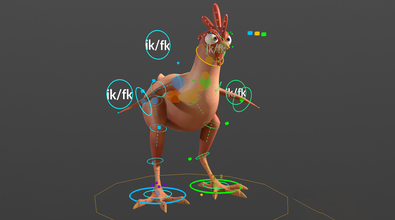
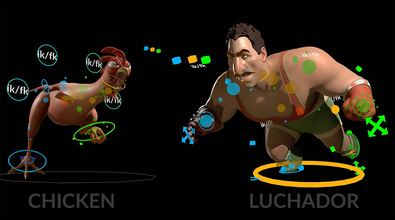
I got involved in setting up a rigging tools in houdini and assisting animators to get used to the
new tools, I have fallen in love with CFX, building rigs ... more
I started my career doing lighting, lookdev and VFX in Cape Town.
Always looking to streamline the character rigging and animation process
I got involved in setting up a rigging tools in houdini and assisting animators to get used to the
new tools, I have fallen in love with CFX, building rigs for films, games and cinematics. less
EXPERTISE
Generalist
INDUSTRY
Film/TV
Connect
LOCATION
Cape Town,
South Africa
WEBSITE
Houdini Skills
ADVANCED
Procedural Modeling | Digital Assets | Character Rigging | Lighting | Pyro FX | VEX
INTERMEDIATE
Environments | Motion Editing | Animation | Hair & Fur | Cloth | Crowds | Muscles | Solaris | Karma | Fluids | Destruction FX | Realtime FX | PDG | Python
Availability
Not Specified
My Badges

SideFX Staff
Since Oct 2023
My Houdini Content

Recent Forum Posts
Noticing the differences between versions Oct. 2, 2026, 2:40 p.m.
This has been fixed, this will be in tomorrows build.
Thanks for the feedback.
One more APEX reversefoot topic Oct. 1, 2026, 2:31 p.m.
Hi here is a setup where you simply add the guides at the start of the rig.
The components usually work in the find or create mode, if it finds a guide that already exists it will use that position.
The components usually work in the find or create mode, if it finds a guide that already exists it will use that position.
One more APEX reversefoot topic Sept. 30, 2026, 10:51 a.m.
Those values are just offsets, start with the defaults and adjust them to match the scale of your character. If you are using the default character scales like electra and otto the values should already almost work.
To clarify by offsets,they are all offsets from the ball and ankle joint. If you zero them out you will see their original position plus the ground plane offset. The controls are being cast onto a ground plane from their original position before the offset is applied
All I did here was to reduce the amount that was already there by middle mouse dragging the value.
To clarify by offsets,they are all offsets from the ball and ankle joint. If you zero them out you will see their original position plus the ground plane offset. The controls are being cast onto a ground plane from their original position before the offset is applied
All I did here was to reduce the amount that was already there by middle mouse dragging the value.