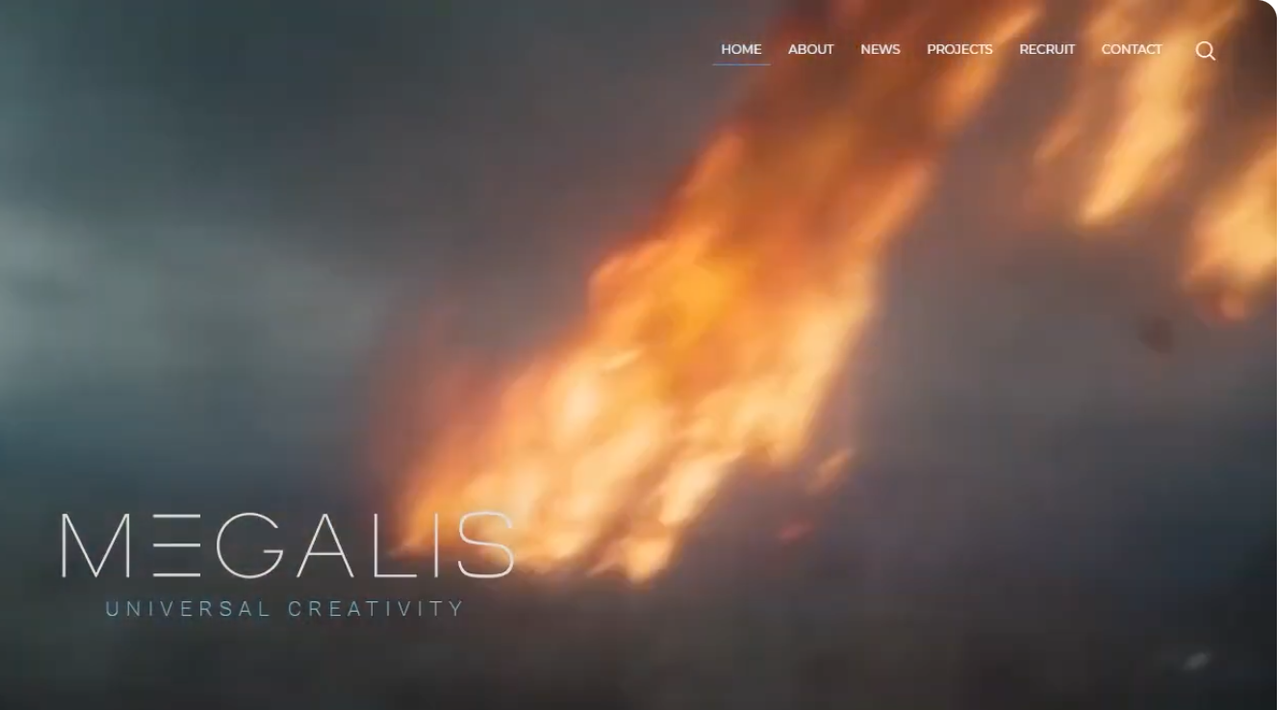
I am creating a fiery moving object (plane wing on fire) and am trying to create the effect as seen in the image link of a fiery object falling through the sky. In this image the fire is broken up, rather than being uniform. Would this be achieved by adding noise to the burn attribute to create islands of bright intensity? Or is there another method to create the variation?
Some methods create islands of points to source the fire, although I find this creates fire trails that tend to merge together in to a solid flame and you lose the broken up effect.
On another topic, some techniques use a particle simulation to create the source for the burn/flame, while others just use particles that are scattered on the surface of the geo. I am not sure what the benefits are for using a particle simulation, but I do notice that it can cause dots of fire where the particles separate from the particle stream, which looks unrealistic, and there seems to be no fix for this, is that correct? Any advice on why to use particle sims would be welcome. The main benefit I know of is that it can remove fire stepping problems for fast moving objects.
Hello. I prepared a demo project that I hope will fix your problem. In pre-simulation stage you can experiment with noises on different fields but ideally you want all fields (vel could be considered an exception) to be consistent with each other. In my project you will find that I used a POP sim with varied per-point air resistances that are driven by animated noise attribute. I combined POP drag with POP force.
As for the sourcing you brought up the issue of scattered dots so I avoided Volume Rasterize Attributes and went a different route. At this point with POP sim out of the way I'm still not going to source anything (density, temperature, etc). I created a fluid-like mesh from the POP sim with VDB from Particles combined with VDB reshape SDF with Operation set to "Close". Then added VDB Smooth SDF and VDB Reshape SDF to further shape the SDF. Then converted that SDF to fog volume (density). Then modified density with noises in Volume VOP and duplicated the result as temperature and burn fields.
Unlike temperature and burn, you can source "vel" field in VDB from Particles node itself. You will see that vel field is carried through VDB operations I mentioned. Then I did similar noise breakup on it in Volume VOP.
As the result you don't really see any individual particles in the source/density. It looks more like foam or flattened and torn up cotton ball.
Stepping will still be an issue even with POP sim, so ideally you'd want to use 2-3 substeps minimum on Pyro Solver.
I've attached a hip file and some clips of how it came out. First clip has dissipation set to 0.001 and the other one has default 0.1 dissipation.
I appreciate how much of your time you put in to producing such a comprehensive post. There are some clever techniques I wasn't aware of.
P.S. On further experimentation, I found one way to get more variation in the fire like in the image is to adjust keyframes in the Pyro Bake Volume shader's Fire Intensity Ramp, particularly making the brightest parts more intense by increasing their Value above the default 1 (click on knot to set). This provides much more contrast of brightness.