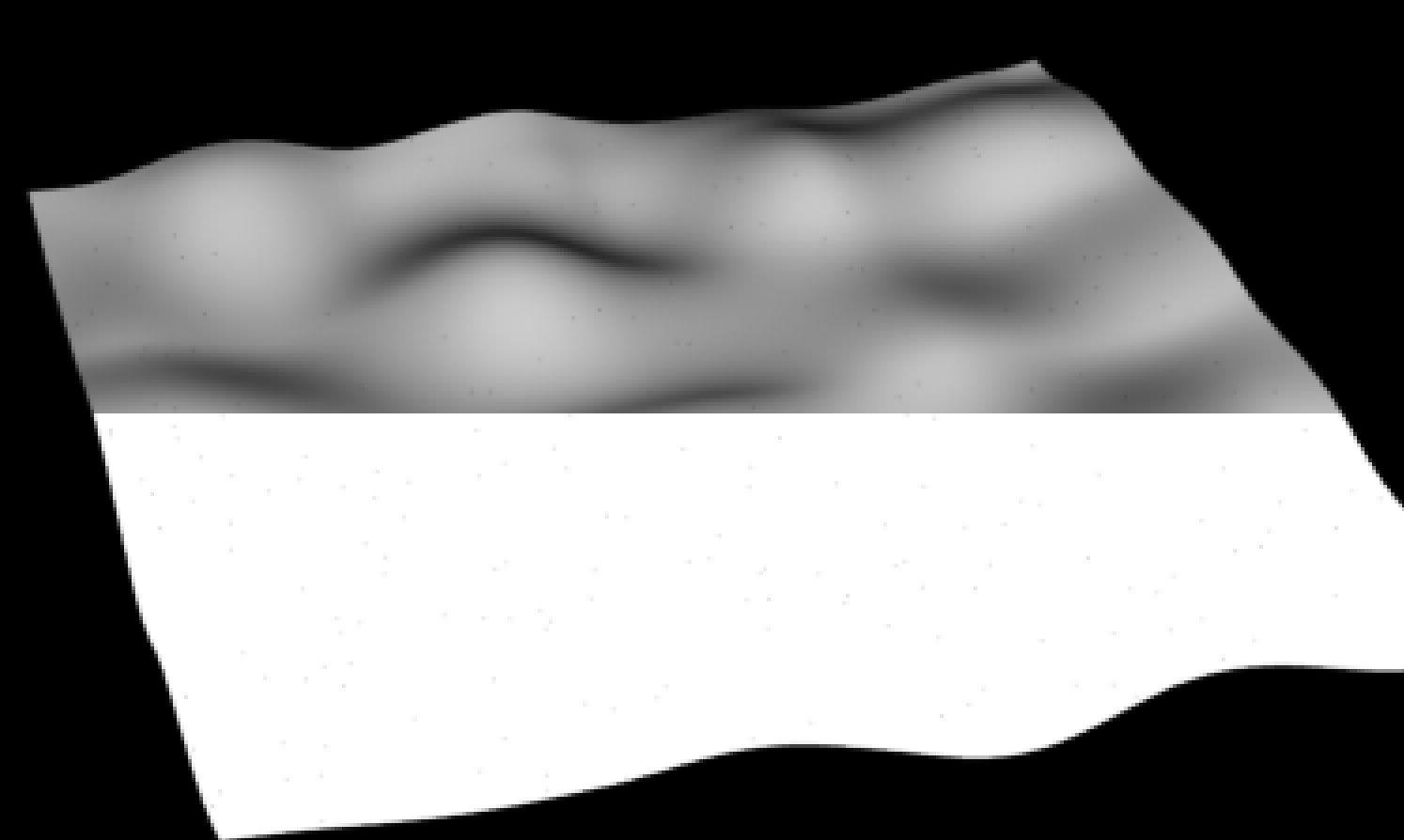
I can't get rid of black dots in render, color and alpha (see picture)
they only appear when I use displacement shader with True Displacements enabled the displace bounds parameter has no effect on this dots appear even if displace amount is set to 0 (see hip file) what can it be?
Pixel samples seem to affect this, but I must set it to like 10x10 to get rid of almost all dots. In the example file it's no big deal, but in my project I render many passes with the same displacement and increasing pixel samples rapidly increases render time
Any ideas if this can be avoided by some parameter or something?
Just took a quick look - your subdivide SOP made the problem worse - it's arguable you need it at all, but even if you do, don't use that and instead go to the Render Tab/Geometry of the object and tag Polygons as Subdivisions. Doing it in the render tends to give better results. I've noticed that setting that and bumping Pixel Samples to 6(which I wouldn't go below as a rule) looks pretty good.
it still doesn't solve my problem, because the black dots are still there and they are randomly scattered on every frame (because of camera anim) like noise and when I render some 16 bit or float passes like Depth (in my project i have thickness) and then color correct them, the dots are more than clearly visible
I need to get rid of them completely is there a reason for them to appear?
there is really no need for subdivide sop in this example, but in my project i have a dense mesh which is like the subd. was already applied, i use however poly to subd. but it doesn't clear things up
I believe the stitching is working (if you turn it off, there are considerably more artifacts).
The problem in wolfwood's scene is that the shading quality has been decreased to 0.1 - this will produce a really coarse displacement that is difficult to stitch. Setting it back to 1 gets rid of most of the artifacts.
In the original scene, the sop supdivision produces a large amount of small polygons - this case is also difficult to stitch. If you're using displacement, it's better to allow mantra to perform the subdivision.
thanks andrew, but why they are there anyways? when Wolfwood showed result from mantra H8.2 without the dots, with the same settings as in H9.5 with them?
i have a dense geometry with bad topology (many tris, different densities), but with consistent normals and without polygon errors (overlapping, cracks, duplicities …). i am using poly to subdivs and still getting those dots i am also using glossy refractions and occlusion in some passes so the pixel samples and render quality are a big rendertime hit for me
the sample scene i provided, has 0 amount of displacement, very clean geometry and when you turn off the subd SOP and turn on poly to subd, you will still get the black dots
so can you please confirm that this is normal error with micropoly displacements and the only way to minimalise the dots visibility is increasing shading quality and pixel samples? thanks
These holes are a common issue with all micropolygon based renderers. Mantra, RenderMan, and quite a few RenderMan compliant renderers have to wrestle with various coving strategies. RenderMan still generates these holes on occasion fyi. So does Mantra.
When the geometry gets diced in to micropolygons (literally cut apart) there are many cases to handle that are not trivial. It's like sewing up a quilt. You have “T” intersections, multiple edges offset, etc. These conditions are a byproduct of dicing the geometry.
Setting the shading quality as low as 0.1 (approximately 10 pixels per microplygon) you can have some pretty large seams forming on the curved surface that coving may not be able to hide.
Do a google search using coving micropolygon as your key words.
We want to see all cases where you get holes in Mantra to see if we can solve them. Sometimes it is crazy displacements with discontinuities in the algorithms or in this case, simple geometry but with very low shading quality setting that should only be this low for previs and artefacts are to be expected.
Jeff is totally right that stitching is a difficult problem.
However, Wolfwood was also right that there was a bug that worsened the issue in H9.x - a fix should be available in the next build of 9.5. Basically, mantra was internally making a slight adjustment to P that would produce displacement cracks even though the displacement shader was not moving P at all.