Earthworm
Film/TV
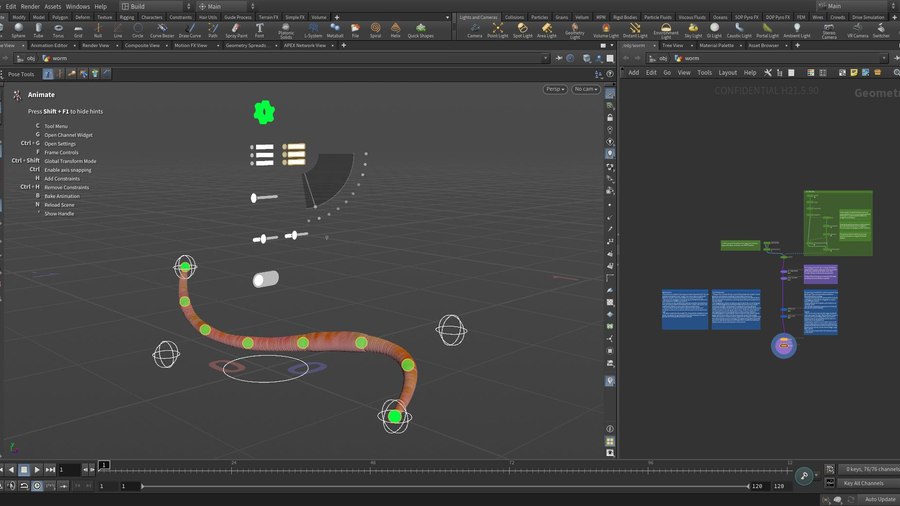
This advanced example project explores the usage of several new rigging features available in Houdini 21.
With Houdini 21, control groups consolidate several related controls together as a unit, AbstractControls are promoted into sliders, toggles, and menus, and custom python callbacks are executed in response to control events.
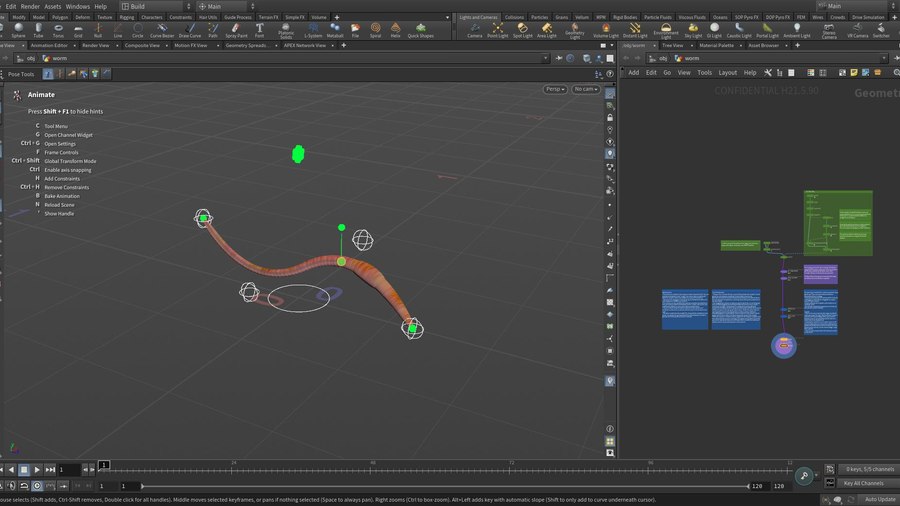
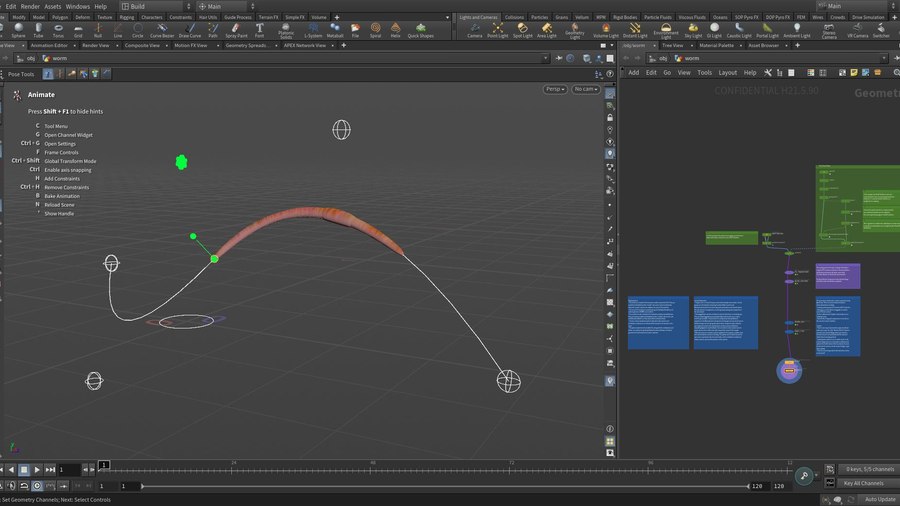
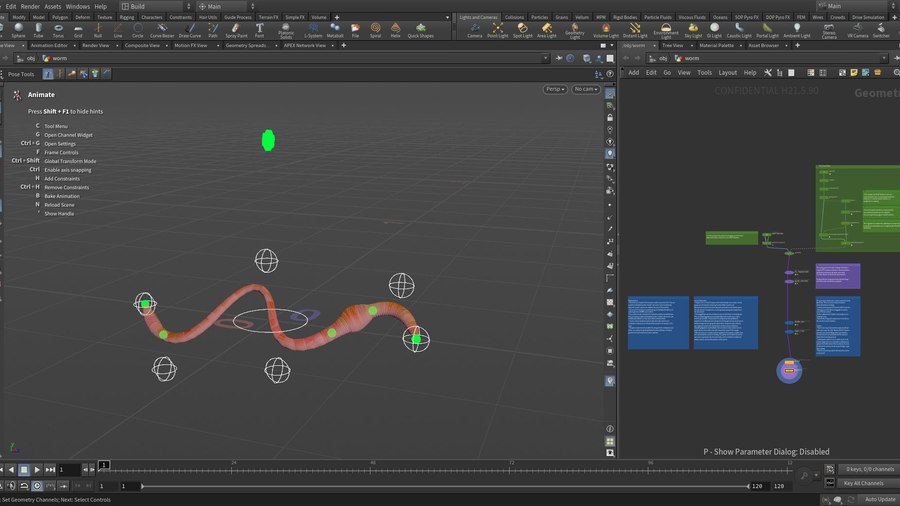
The earthworm rig makes use of several new features of the spline rigging nodes. The rig demonstrates how to create a fixed length joint chain rig. Pins, which connect a position on the joint chain to a position on the curve, allow for precise control over the position of the joint chain. Using a single pin, the joint chain can slide along the curve; or alternatively, multiple pins can stretch and squash the earthworm. The pins controls are configured as uvslider controls, allowing them to be dragged directly on the curve.
This example file serves as a starting point for creating complex, flexible, and dynamically configurable rigging setups.
CREATED BY

COMMENTS
AlessiaHoudini 6 months, 1 week ago |
This is why I love side fx and Houdini, I'm literally in the middle of my last year of studies and i m researching for how to make rigs in Houdini and this literally just got posted. Thank you man.
maitlandvt 6 months, 1 week ago |
I feel the same way.. i was just about to rig a witch's broom, check the content library and low-and behold...!
maitlandvt 6 months, 1 week ago |
My first thought was:
This is EXTREMELY fun to play with in the viewport.
My second thought was:
I wonder how i can record myself playing with it in the viewport?
phinnaeus 3 months ago |
The CV's and pins don't update above 4
phinnaeus 3 months ago |
Hi Bradley, thanks for this!
I'm looking to rig a snake for a personal project and this seems to be a good base to start from.
I have a Brown Snake model I have created in Zbrush and I wanted to add a head, jaw control and retractable fangs to your rig.
I've copied your setup and and added the extra joints in KineFX, renamed them and parented them to joint_1 , then I've painted some weights for the mouth and the fangs using paint capture and tested the deformation with a rig pose node, but then when I run it through your custom Apex auto rig component, the vex snippet is not understanding these joints as part of the rig and the parenting breaks obviously.
Any clues how to fix this? My vex knowledge is beginner level so I'm scratching my head here!
Thanks in advance.
bradleyh@sidefx.com 2 months, 4 weeks ago |
Hi Phinnaeus,
This rig is an advanced example which explores various new features of the new spline nodes (like the pinning features), as well as the use of control groups, and python callbacks. I've made a number of simplifications to the rig component in order to highlight the usage of some of these features (and avoid some of the distractions of a more generic implementation). One of those simplifications is the assumption that all of the joints in the skeleton are part of the spline setup. For example, in the first few lines of the function buildCvControls(), I'm checking the point count of the skeleton and building the spline's cv controls between the first and last joint in the skeleton.
This example can be extended, however, if you're looking for more of a plug and play option, I would suggest starting with our standard autorig components. The "Spline" component may be a good starting point for a snake rig.
phinnaeus 2 months, 4 weeks ago |
Hi Bradley thanks for getting back to me, yes that's what I was thinking too.
I'll give the spline setup a go.
Cheers!
phinnaeus 2 months, 3 weeks ago |
Hi Bradley, I tried the spline setup in the Autorigbuilder but its currently limited to 4 CV controllers which is not enough for a snake or a tentacle or any practical use case for this kind of control. What I liked about your earthworm was I could add extra controllers and pins.
bradleyh@sidefx.com 2 months, 2 weeks ago |
Hi Phinnaeus,
The Autorigbuilder is using the "Spline" autorig component under the hood (the same one you would get from using the APEX AutoRig Component SOP node). So, for both the APEX AutoRig Builder and the APEX AutoRig Component, in order to change the number of controls you will need to toggle on the "custom" parameter, and then switch the "numcontrols" parameter to the desired number of controls.
With the APEX AutoRig Builder, you drop down a spline component and then click on the gear icon. You will need to find and change both settings in the list of configuration controls. I realize this sequence may seem a little odd. It's an artifact of re-using the same spline component which was first created for the APEX AutoRig Component (in which case it seems more natural due to the parameters appearing next to each other in its interface).
With the APEX AutoRig Component, you start with a FK Transform component (to create TransformObjects from your skeleton's joints), and then use the Spline component to build the spline. In the Spline component's parameters, the Driven tab lets you choose which Transform Objects should be controlled by the spline. Then in the "Driver" tab, you can switch on the "custom" parameter and then finally set the number of controls.
phinnaeus 2 months, 2 weeks ago |
Awesome, that worked!
I used the AutoRig Builder 3D gear icon method, makes perfect sense now.
Thanks for the clarification Bradley :)
phinnaeus 2 months, 2 weeks ago |
One last question, promise!
How would I attach the spline controls to a motion path?
bradleyh@sidefx.com 2 months, 2 weeks ago |
There are a number of different ways that this could be accomplished (with varying levels of complexity depending on your goals).
If you're trying to slide the joint chain along a curve, your best friend is going to be the documentation page for rig::SampleSplineTransforms::3.0 (https://www.sidefx.com/docs/houdini/nodes/apex/rig--SampleSplineTransforms.html) In particular, you'll want to provide "restlengths" for each of your joints, set "stretch" to 0.0, and then animate the "startoffset".
The spline created from the AutoRig Builder will come with rest lengths. So, one option is to edit your rig (perhaps using the Fuse graph workflow as demonstrated in Part 4 of the Intro To Rig Builder series: https://www.sidefx.com/tutorials/intro-to-rig-builder/) If you drop down an AbstractControl and connect its input "x" port to the rig's parms node, and its output "x" port to the "startoffset" port on the rig::SampleSplineTransforms::3.0 node, then you will have created a control in your rig for sliding the joint chain. You will also need to add a "Value<Float>" node with its parm set to 0 (the default), and connect it to the "stretch" port on the rig::SampleSplineTransforms::3.0 node (to ensure this value is set). With these two changes fused back into your graph, you should be able to adjust the spline's cv controls to form a motion path, and then use the newly created control to slide the joint chain across the path.
Another option is to constrain the spline's cv controls to a motion path. This would probably involve creating a separate rig for the motion path. rig::SplineInterpolateSamples::3.0 is able to create a curve (from a set of cvs), and then sample it. The samples should drive AbstractControls (with will serve as locators). Then, within the scene animate node, you can use the normal apex constraints to constrain the cvs of your spline rig to the AbstractControls in your motion path. However, it should be noted that this will move the cvs of the spline. So the cvs with follow the motion path curve exactly, whereas the joint chain driven by those cvs will not (since the cvs will be creating their own curve).
Hopefully that can point you in the right direction! Also, please feel free to take advantage of our forums. The community there is a great option for working through any specific challenges you may encounter.
phinnaeus 2 months, 2 weeks ago |
Awesome, thanks yet again, will take a look at this today.
Forums here I come!
P
Please log in to leave a comment.