With an APEX char in my scene, when I try to scrub through my timeline, or do frame by frame nudging (left/right keys), there is quite an annoying delay (say 1 third of a second). If I press play everything is rosy again, hitting 24 fps. The manual scrubbing is very important for an animator, are the ways to speed that up?
Might it have something to do with 'animation caching'? And if indeed so, how can one switch that off?
Scrubbing timeline with APEX char in scene very slow
631 10 4
-

- mackerBaehr
- Member

- 95 posts
- Joined: Feb. 2014
- Online
-

- warrenl
- Staff

- 41 posts
- Joined: June 2021
- Offline
-
- mackerBaehr
- Member
- 95 posts
- Joined: Feb. 2014
- Online
Hi Warren
I made a gif in which it should be more visible.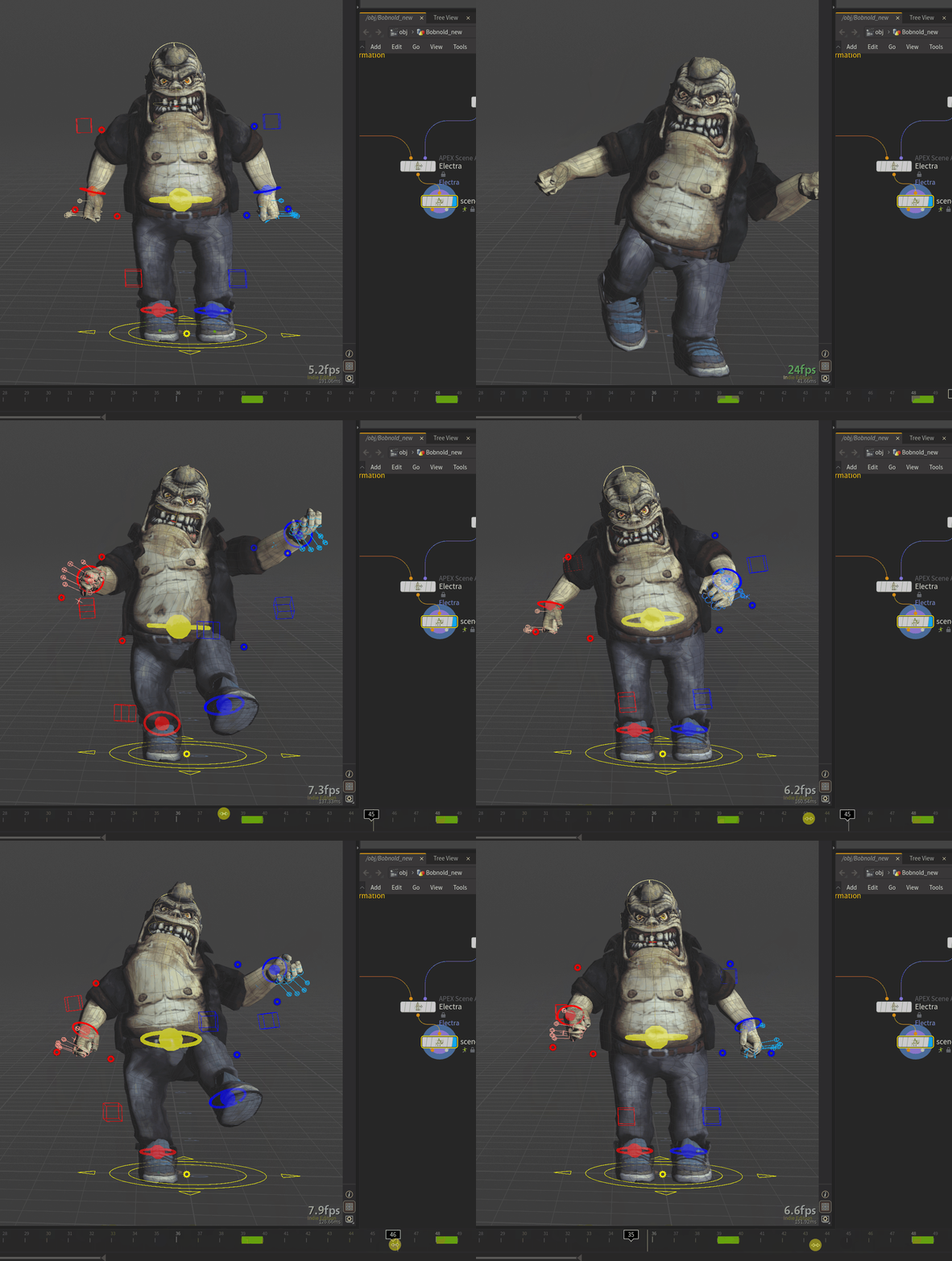
The display rate marker clocks 24 fps when playing. Second half of the gif is me scrubbing (cache off, the way you suggested). You can see the frame-rate dropping big-time, as well as the time marker having difficulty catching up with my mouse pointer.
I can reproduce this with test-character Electra, same performance issues.
I have one of the first threadrippers, so CPU is a bit outdated. GPU and RAM though are solid (GTX3090, 128GB RAM).
When I switch off 'use control xray' the performance gets a little bit better. Other options do not seam to make much difference
I made a gif in which it should be more visible.
The display rate marker clocks 24 fps when playing. Second half of the gif is me scrubbing (cache off, the way you suggested). You can see the frame-rate dropping big-time, as well as the time marker having difficulty catching up with my mouse pointer.
I can reproduce this with test-character Electra, same performance issues.
I have one of the first threadrippers, so CPU is a bit outdated. GPU and RAM though are solid (GTX3090, 128GB RAM).
When I switch off 'use control xray' the performance gets a little bit better. Other options do not seam to make much difference
-

- edward
- Member

- 8161 posts
- Joined: July 2005
- Offline
-
- mackerBaehr
- Member
- 95 posts
- Joined: Feb. 2014
- Online
Hi Edward
Thank you for the suggestion: It makes a world of difference!
New UI - scrubbing does somewhere between 2 and 8 fps (very choppy)
Old UI - scrubbing strays above a very decent 20 fps. Completely acceptable.
For now I will stick to the old one, already missing the freshness of the new. Is this something which will be looked into in further updates? Is it handy if I file it at sidefx as a potential bug?
Thank you for the suggestion: It makes a world of difference!
New UI - scrubbing does somewhere between 2 and 8 fps (very choppy)
Old UI - scrubbing strays above a very decent 20 fps. Completely acceptable.
For now I will stick to the old one, already missing the freshness of the new. Is this something which will be looked into in further updates? Is it handy if I file it at sidefx as a potential bug?
-

- AntonMoss
- Member

- 24 posts
- Joined: March 2015
- Offline
-
- edward
- Member
- 8161 posts
- Joined: July 2005
- Offline
-
- mackerBaehr
- Member
- 95 posts
- Joined: Feb. 2014
- Online
-

- neilharrison
- Member

- 3 posts
- Joined: July 2026
- Offline
I don't think you're alone—I've noticed that interactive scrubbing often feels slower than real-time playback because Houdini has to evaluate the rig and dependency graph for every frame you manually step through, while playback benefits from caching.
A few things you could try:
Enable Performance Monitor to see which nodes are taking the most time during scrubbing.
If possible, temporarily bypass or mute any heavy simulation, deformation, or SOP networks that aren't needed while animating.
Cache the character animation to disk or memory once you're happy with the setup, then switch back to the live rig only when making edits.
Check whether the viewport is updating unnecessary elements (high-quality lighting, guides, or overlays), as these can sometimes affect responsiveness.
Just out of curiosity, does the lag happen with every APEX character, or only with this particular rig? That would help determine whether it's a scene-specific bottleneck or something related to the rig itself.
A few things you could try:
Enable Performance Monitor to see which nodes are taking the most time during scrubbing.
If possible, temporarily bypass or mute any heavy simulation, deformation, or SOP networks that aren't needed while animating.
Cache the character animation to disk or memory once you're happy with the setup, then switch back to the live rig only when making edits.
Check whether the viewport is updating unnecessary elements (high-quality lighting, guides, or overlays), as these can sometimes affect responsiveness.
Just out of curiosity, does the lag happen with every APEX character, or only with this particular rig? That would help determine whether it's a scene-specific bottleneck or something related to the rig itself.
-
- Mark Wallman
- Member

- 820 posts
- Joined: Aug. 2013
- Offline

H8. I'm noticing a lag with the beta apex lop nodes. Namely scrubbing a simple tube on the apex animate lop. It's actually the tube example from the docs animating in apex lops. I'm on windows. I'm yet to try changing nvidia drivers or the old ui. I'll report back o ce I have done some more testing.
Best. Mark
Best. Mark
-
- mackerBaehr
- Member
- 95 posts
- Joined: Feb. 2014
- Online
-
- Quick Links