
Rod Tebisx Houdini CFX TD
RodTebisx
About Me
Rod Tebisx is an experienced Senior Creature FX TD focused on procedural CFX, primarily advanced muscle and tissue simulations. Rod has worked on notable award-winning and nominated films such as The Crown (2016), Jurassic World: The Ride (2019), Good Omens (2019), His Dark Materials (2019), A Chris... more
Rod Tebisx is an experienced Senior Creature FX TD focused on procedural CFX, primarily advanced muscle and tissue simulations. Rod has worked on notable award-winning and nominated films such as The Crown (2016), Jurassic World: The Ride (2019), Good Omens (2019), His Dark Materials (2019), A Christmas Carol (2019), Jingle Jangle: A Christmas Journey (2020), Sheba: Hope Reef (2021), The Wheel of Time (2021), Men (2022) and Surviving Earch Documentary series (2025) less
EXPERTISE
Technical Director
INDUSTRY
Film/TV
Houdini Skills
ADVANCED
Digital Assets | Muscles | Mantra
INTERMEDIATE
Procedural Modeling | Cloth | Karma | Lighting | Pyro FX | Fluids | Destruction FX | VEX
BEGINNER
Crowds | Solaris | PDG | Python
Availability
I am currently employed at SideFX (Contract)
My Gallery

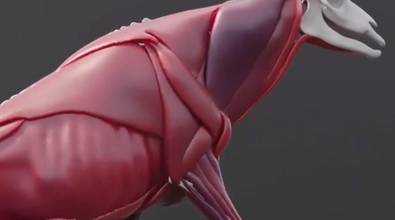
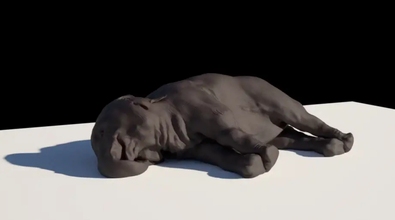
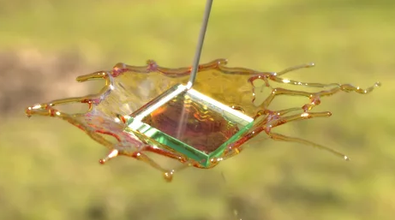
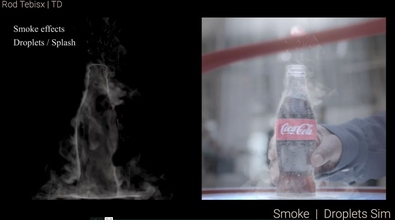

Recent Forum Posts
Any houdini 19.5 rumors? July 14, 2022, 2:05 p.m.
eikonoklastesjarenasI vastly prefer this route. When they did a "sneak peek" video for H19, that clip showed pretty much everything from the presentation, and made the presentation feel a bit weak. Not the release, mind you, because 19 is an amazing update, but the excitement from watching the presentation itself was definitely deflated somewhat.
Maybe they are going the classic product launch way, with event first and later the sneakpeek as a launch event short recap. Soon enough we will see anyway
I disagree completely. The official presentation is always very powerful and informative. And the sneak peak is like a golden visit card for the whole thing. Like any interesting thing, you tease people first. IMHO

Import block mask & token explanation June 2, 2022, 6:52 p.m.
In the example above we are importing from the internal node "blendshapes2" the folder "blah", but just the ones starting with "voxel".
Import block mask & token explanation June 2, 2022, 6:38 p.m.
Source
A reference to the node or file this folder imports its contents from, when Import settings is on.
The source can be either a sub-node, specified using op:node_path, or an external dialog script, specified using file:file_path. For example, to import parameters from a node named torus1 inside the asset, use op:torus1. To import from a node named sphere1 inside an object named geo1 inside the asset, use op:geo1/sphere1.
Token
The name of the item to import from the node/file, when Import settings is on. You can import a folder, an import block, or all the parameters from the source.
To import a folder, use the Name of the folder.
Tab sets are sibling folders that share the same Name. To import the all tabs in a tab set, use the shared Name as the token. To import a single tab from a group, use the Name of the tab set, followed by a colon ( : ), followed by the Label of the folder you want to import.
For example, to import a tab named folder1 with the label "Shading", the token would be folder1:Shading.
To import an import block, use the special token importblock, followed by a colon ( : ), followed by the Label of the import block you want to import.
To import all the parameters from the source, leave the token blank.
To get the name of a folder, select the source node, and in the parameter editor, open the Gear menu and choose Edit Parameter Interface. Then select the folder in the Existing parameters and check the contents of the Name field under Parameter description.
Mask
Only import parameters matching this pattern, when Import settings is on.
Excluding a multiparm will not automatically exclude any existing instances (you should craft the pattern so it excludes both the "parent" multiparm name and instance names).
A reference to the node or file this folder imports its contents from, when Import settings is on.
The source can be either a sub-node, specified using op:node_path, or an external dialog script, specified using file:file_path. For example, to import parameters from a node named torus1 inside the asset, use op:torus1. To import from a node named sphere1 inside an object named geo1 inside the asset, use op:geo1/sphere1.
Token
The name of the item to import from the node/file, when Import settings is on. You can import a folder, an import block, or all the parameters from the source.
To import a folder, use the Name of the folder.
Tab sets are sibling folders that share the same Name. To import the all tabs in a tab set, use the shared Name as the token. To import a single tab from a group, use the Name of the tab set, followed by a colon ( : ), followed by the Label of the folder you want to import.
For example, to import a tab named folder1 with the label "Shading", the token would be folder1:Shading.
To import an import block, use the special token importblock, followed by a colon ( : ), followed by the Label of the import block you want to import.
To import all the parameters from the source, leave the token blank.
To get the name of a folder, select the source node, and in the parameter editor, open the Gear menu and choose Edit Parameter Interface. Then select the folder in the Existing parameters and check the contents of the Name field under Parameter description.
Mask
Only import parameters matching this pattern, when Import settings is on.
Excluding a multiparm will not automatically exclude any existing instances (you should craft the pattern so it excludes both the "parent" multiparm name and instance names).